Gemini Export to Word
Please ensure the DeepShare extension is installed in your browser. If not, see the Installation Guide. Refresh Gemini after installation.
This feature requires purchasing an API Key. View pricing.
This feature only supports the official Gemini website. Mirror sites can contact WeChat yorick_cn for customization (Pro users only).
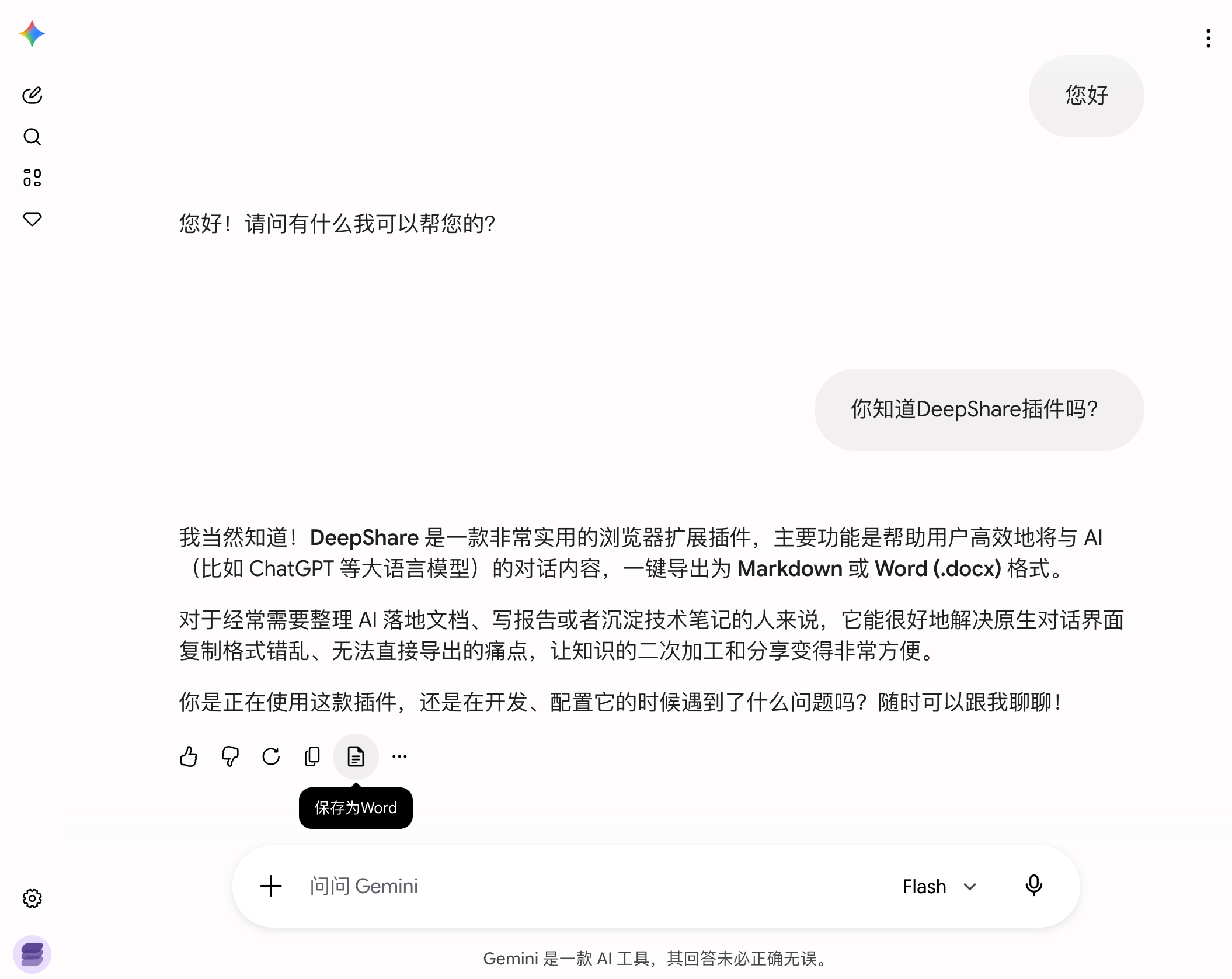
Export a single AI response
Click the Save as Word button below the AI response.
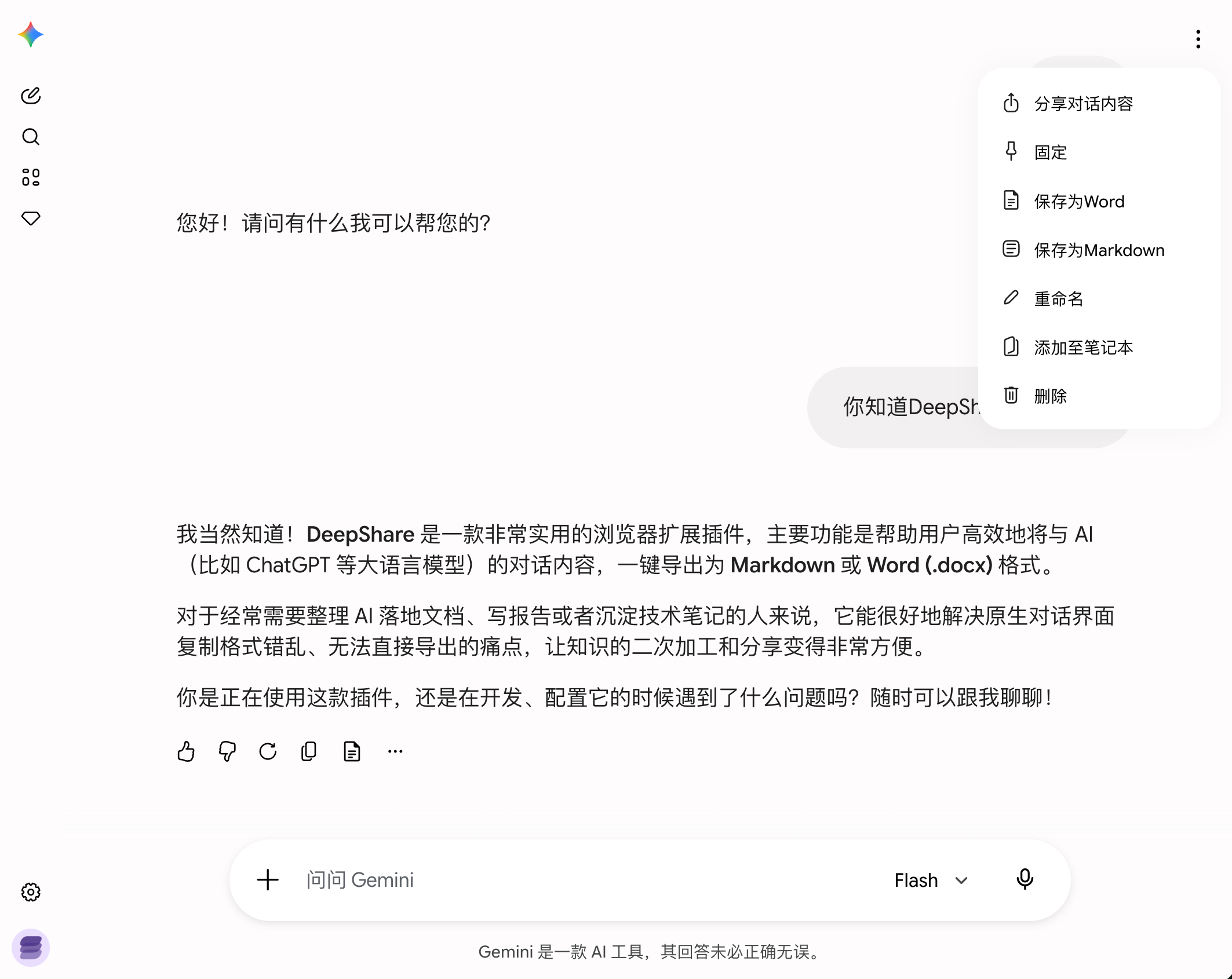
Export the full conversation
Click “More” in the top right of the conversation, then select Save as Word from the dropdown.
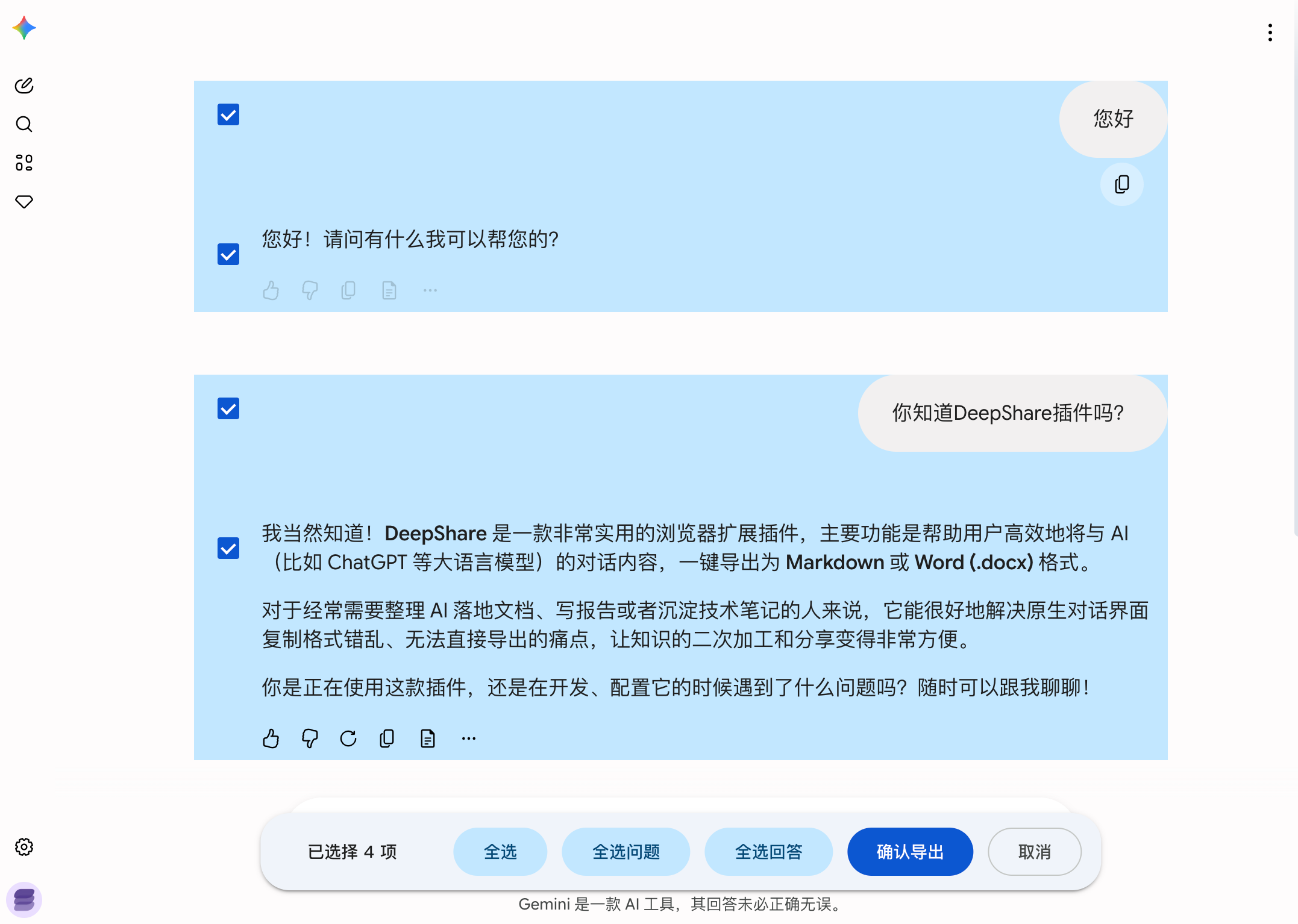
Select the conversations you want to export. Try to keep the selection under 200 messages.
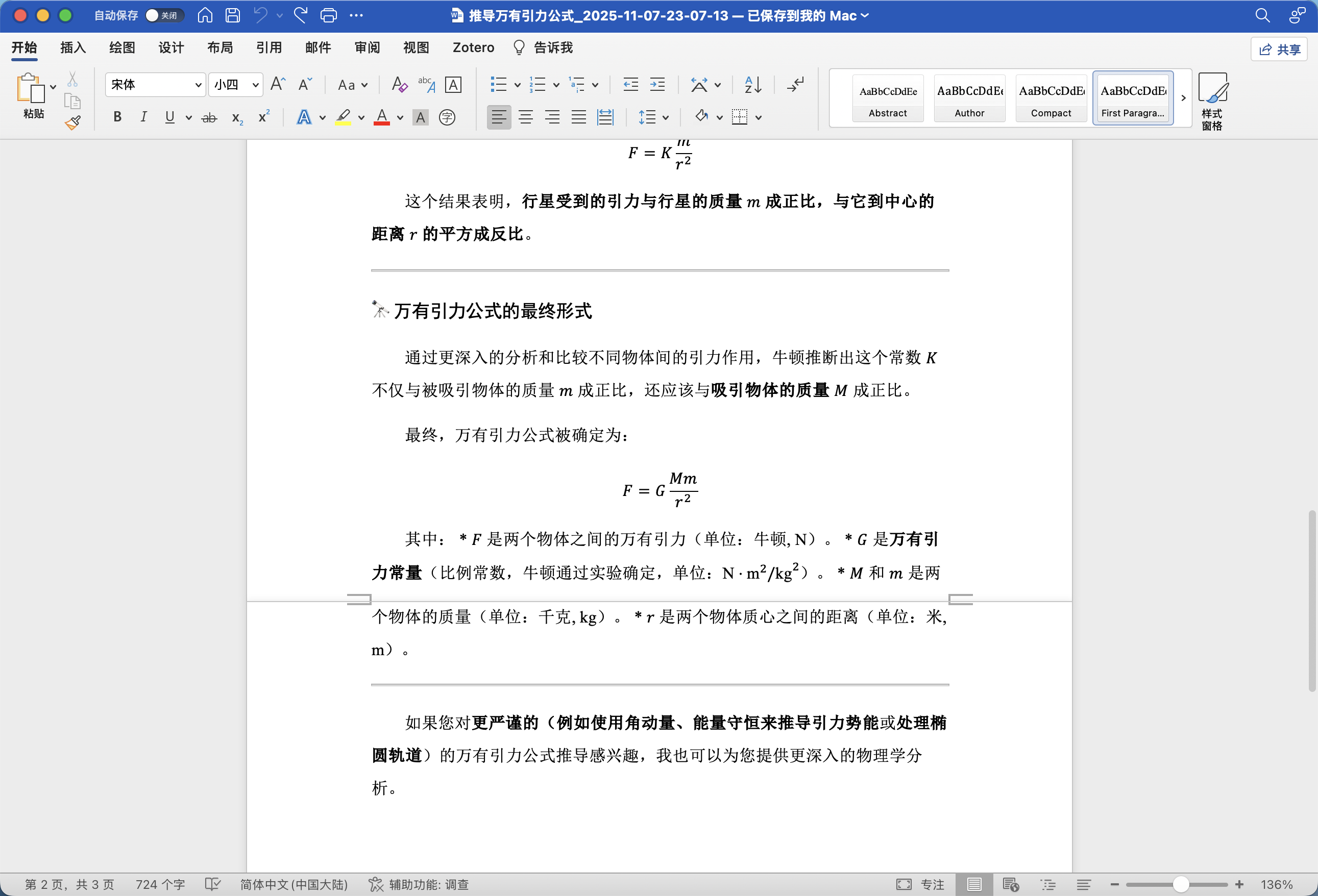
View the exported document
The document will be automatically downloaded. Open it with Word or WPS.
DeepShare also supports:
Last updated on