Gemini Deep Research Export to Word
Please ensure the DeepShare extension is installed in your browser. If not, see the Installation Guide. Refresh Gemini after installation.
This feature requires purchasing an API Key. View pricing.
This feature only supports the official Gemini website. Mirror sites can contact WeChat yorick_cn for customization (Pro users only).
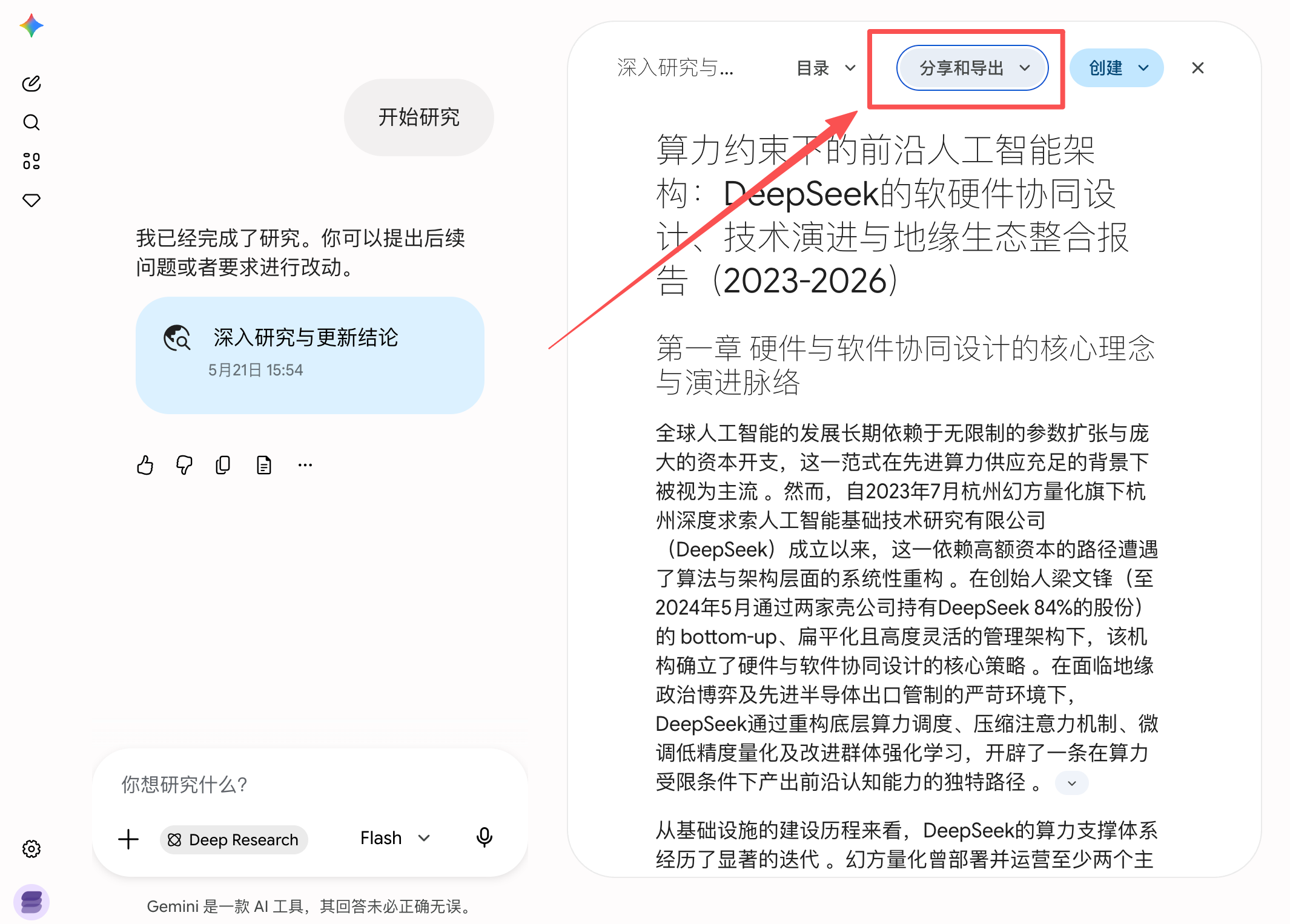
Gemini’s Deep Research is very useful — you can also export it to Word with one click.
Preview
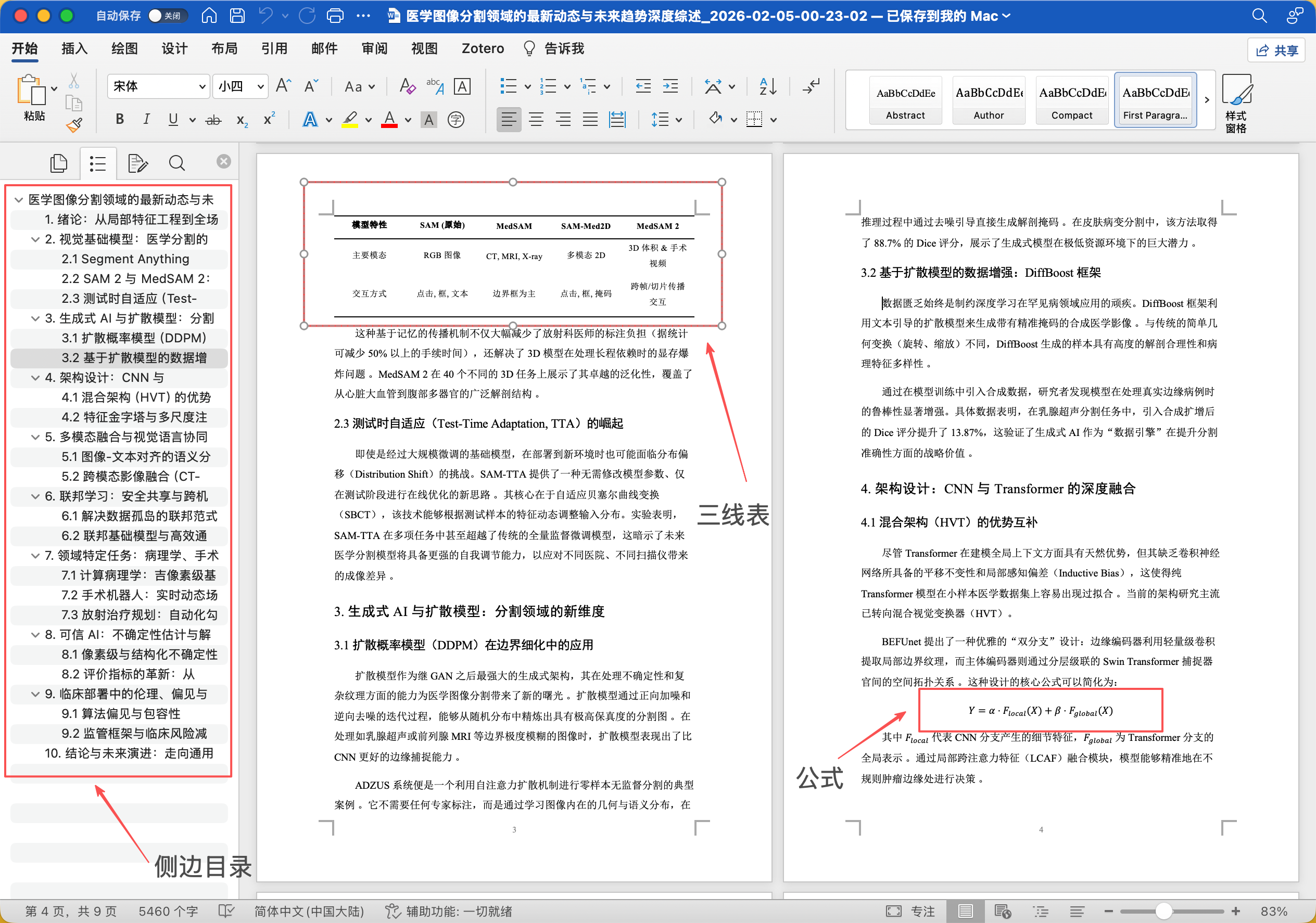
The exported Word document is beautifully formatted, optimized for academic papers, and supports formulas, tables, and side table of contents.
Steps

Export Sources
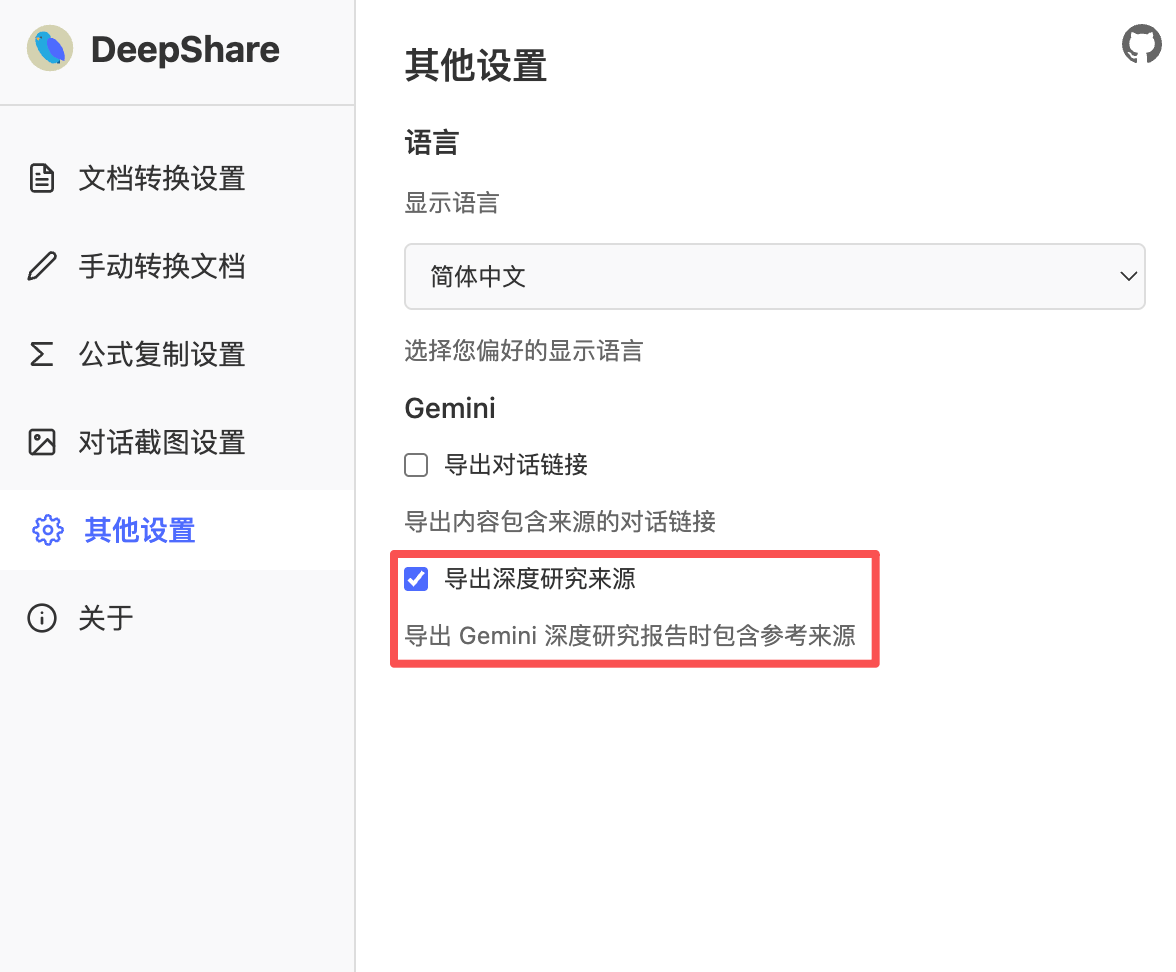
DeepShare supports exporting Gemini Deep Research to Word including citation sources.
You can choose whether to include sources in the settings:
The extension also supports Gemini Canvas Export to Word.