How to Enable Clipboard Permission
Enable clipboard read permission on the DeepSeek chat page, not on this documentation website.
When DeepShare shows “Failed to save, please enable clipboard read permission” while exporting a Word document from DeepSeek, it means the browser has blocked the web page from reading clipboard content. Follow the steps below to enable the permission.
Open the DeepSeek chat page
Open DeepSeek and enter the conversation you want to export.
Click the clipboard icon on the right side of the address bar
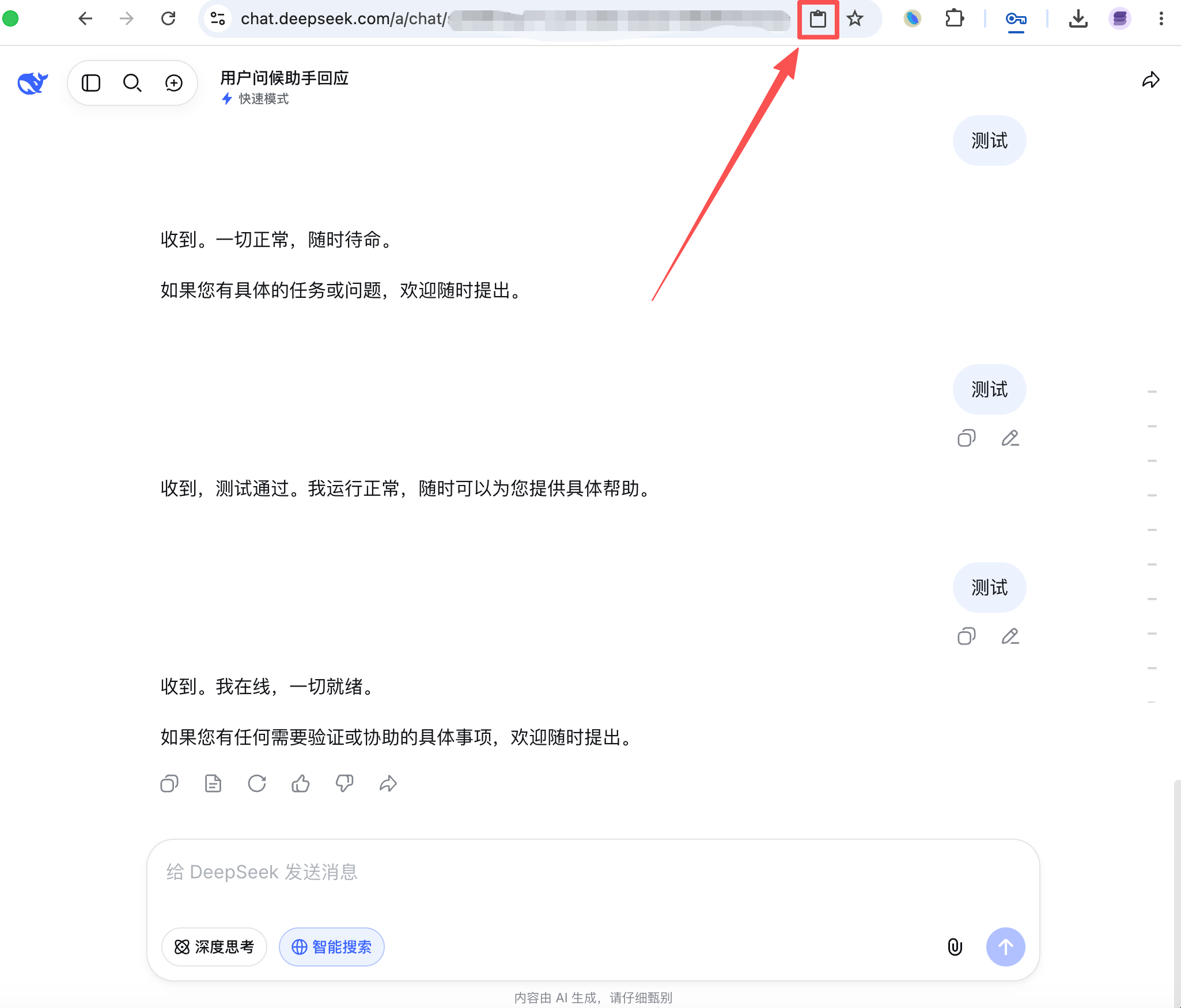
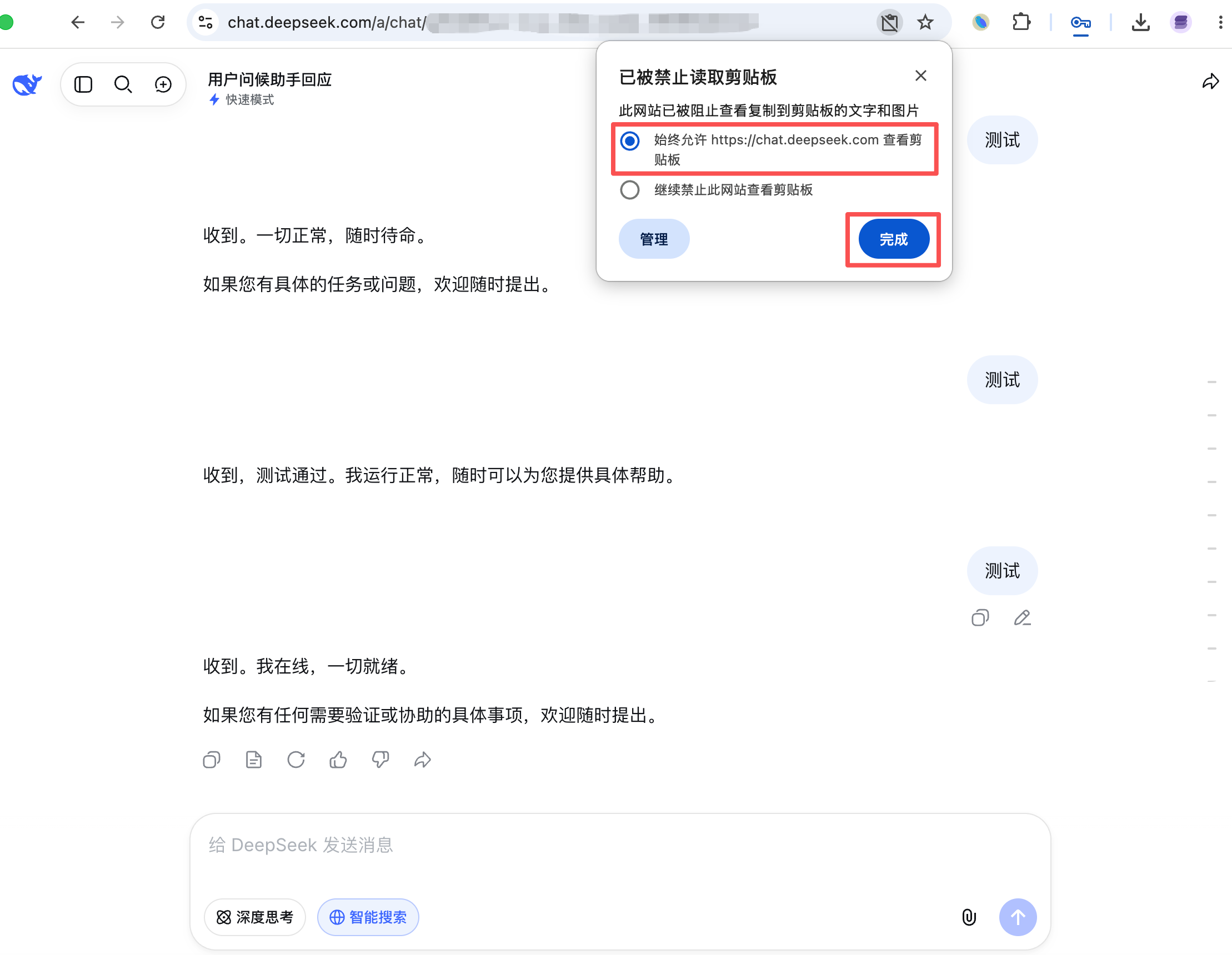
Change clipboard permission to allow
Set DeepSeek’s clipboard read permission to “Continue allowing this site to see your clipboard”, then click “Done”.
After enabling the permission, export again.
Last updated on