Markdown to Word MCP Server Guide
DeepShare provides a Model Context Protocol (MCP) based server md2doc that allows you to convert AI-generated Markdown content directly to beautifully formatted Word documents from within MCP-compatible AI clients (such as Cherry Studio , Alma , etc.).
Key Features
- Call the
convert_markdown_to_docxtool directly in AI clients to convert Markdown to Word documents - Multiple template options
- Automatically saves to the
Downloadsdirectory - Shares API Key and quota with the DeepShare web/extension version
Configuration
1. Get an API Key
Before using the MCP server, you need a valid API Key:
- Purchase a DeepShare API Key
- You can use this trial key to test:
f4e8fe6f-e39e-486f-b7e7-e037d2ec216f. If the quota runs out, you can request a trial via email: contact@deepshare.app
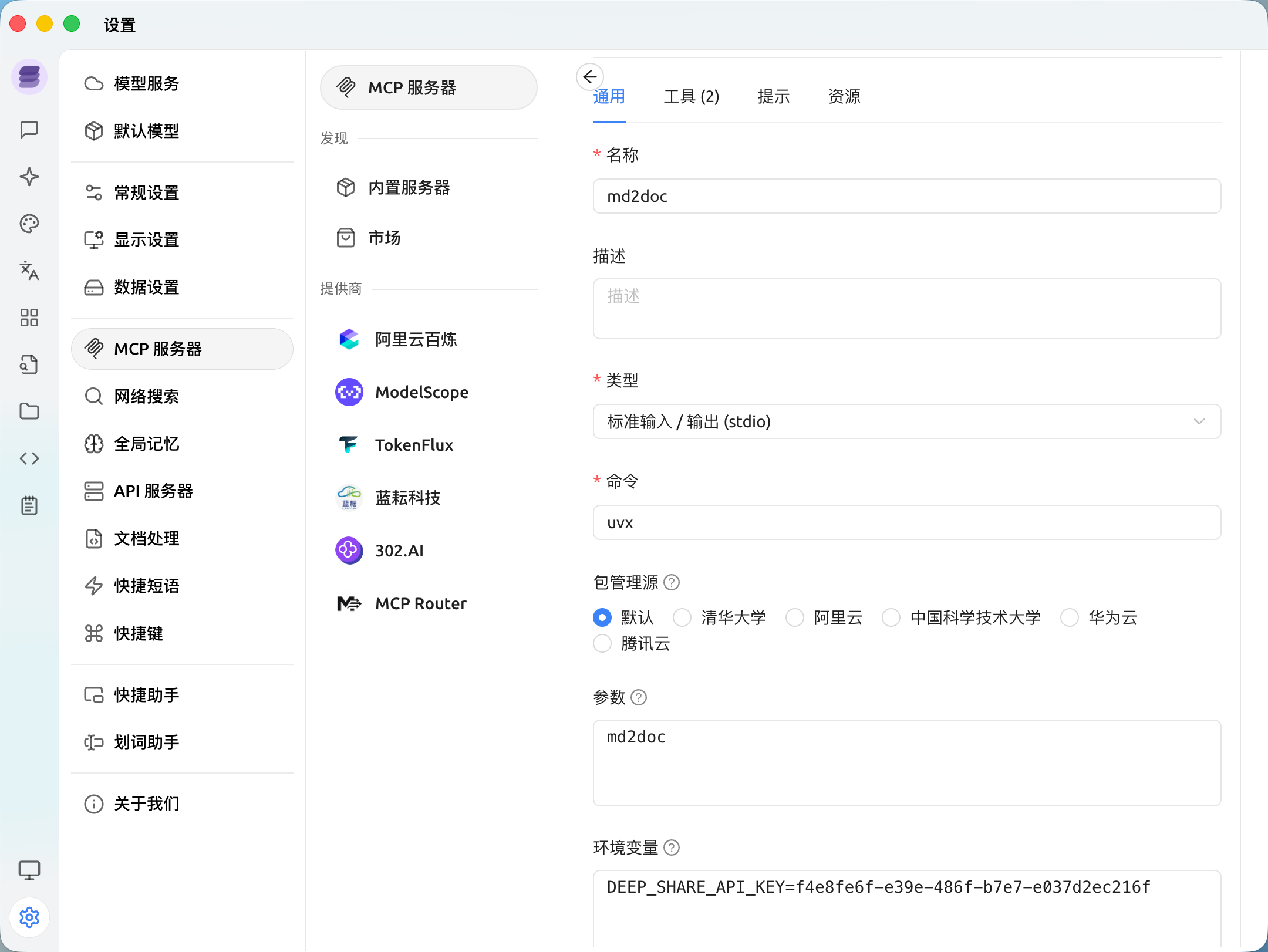
2. Configure in Cherry Studio
- Open Cherry Studio settings
- Go to the MCP tab
- Add a new MCP server:
- Name:
md2doc - Type:
stdio - Command:
uvx - Args:
md2doc - Environment variables:
DEEP_SHARE_API_KEY: Your API Key
- Name:
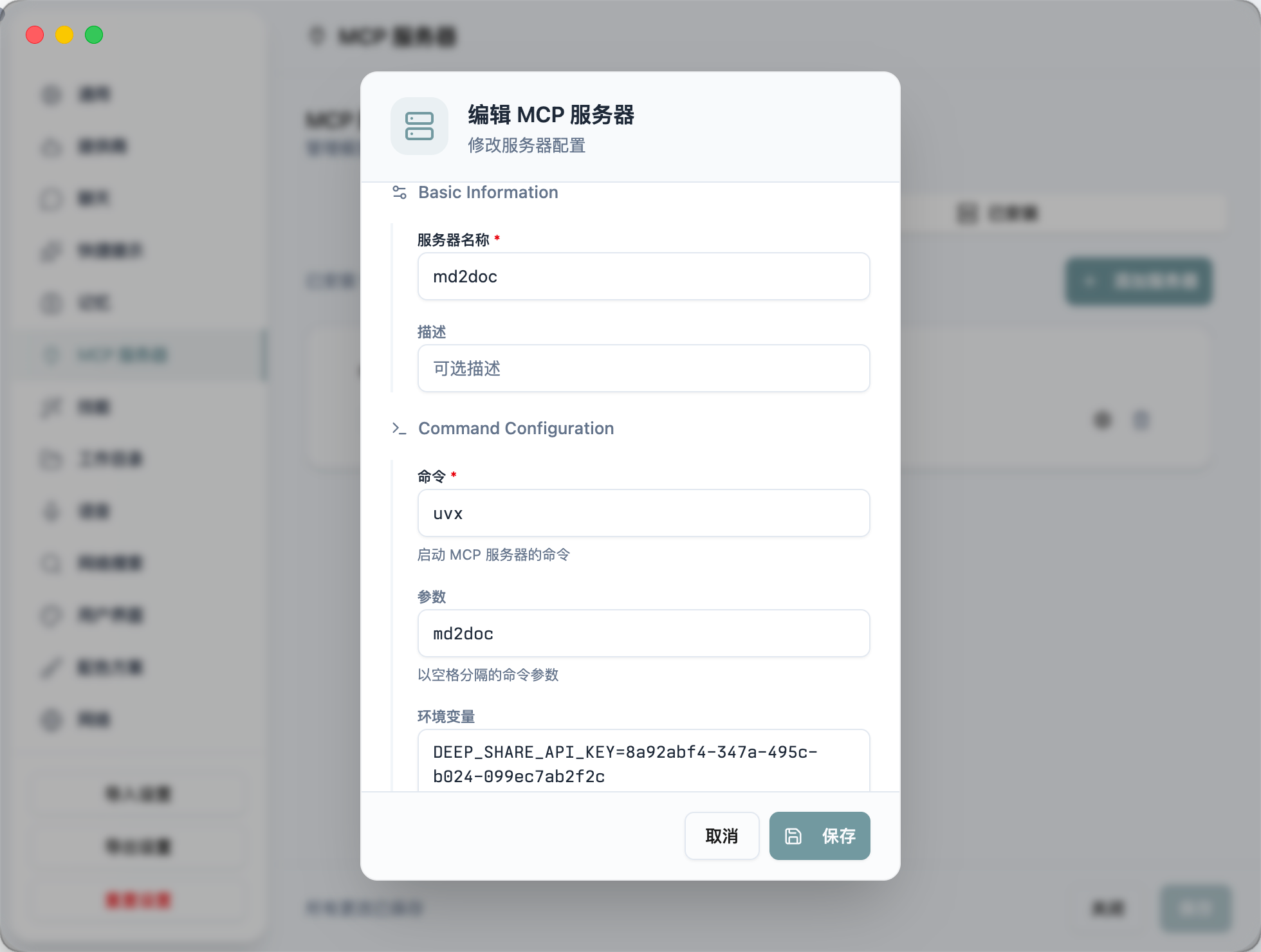
3. Configure in Alma
- Open Alma settings
- Go to the MCP tab
- Add a new MCP server:
- Name:
md2doc - Command:
uvx - Args:
md2doc - Environment variables:
DEEP_SHARE_API_KEY: Your API Key
- Name:
Usage
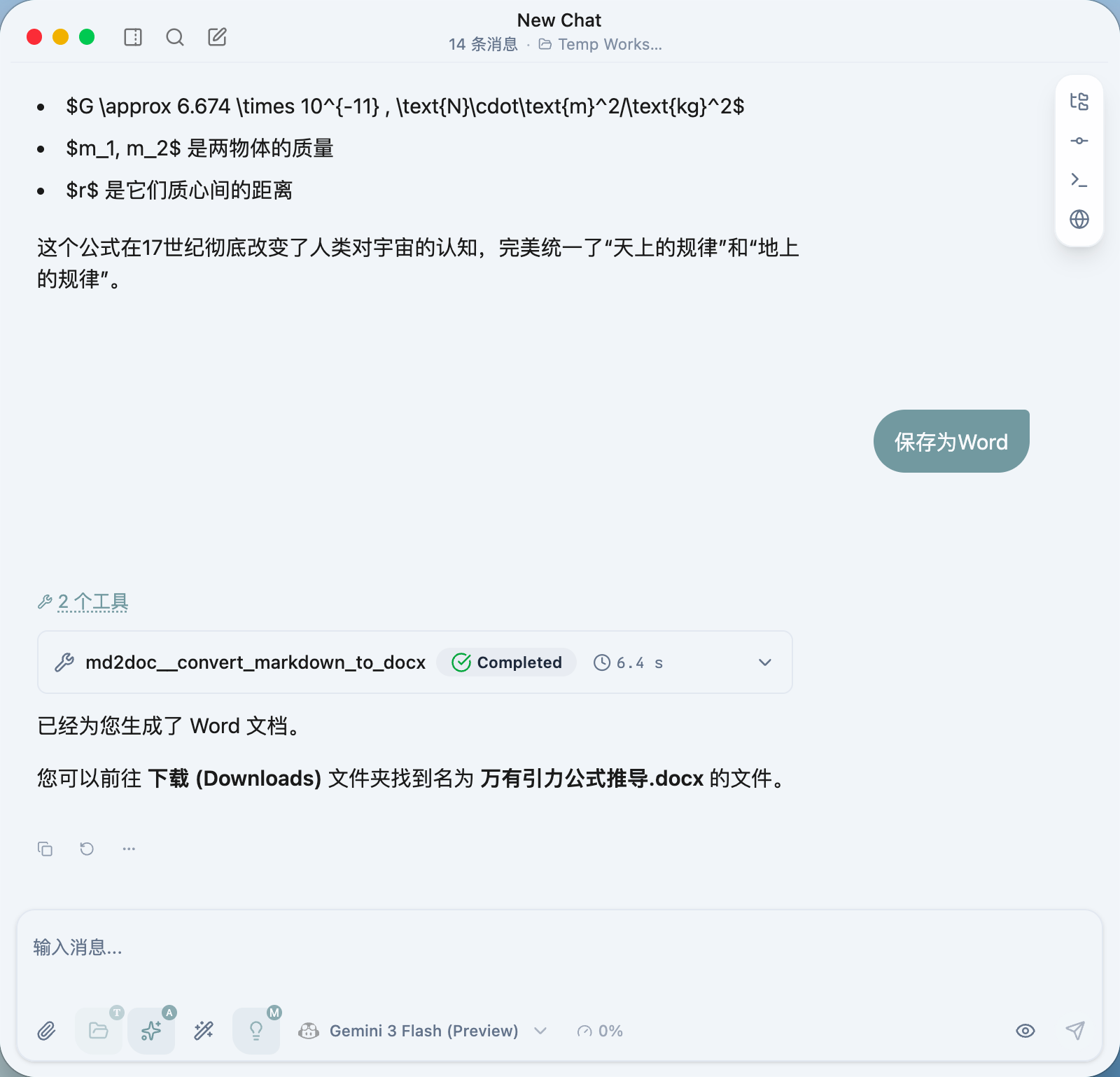
After configuration, check the md2doc MCP in the conversation and ask the AI to convert content to a Word document. For example:
Please convert the above content to a Word document using the “thesis” template.
The AI will call the convert_markdown_to_docx tool. After completion, the file will be delivered as follows:
- Local client: The file will be automatically saved to your Downloads folder.
- Cloud/Docker deployment: The assistant will return a temporary download link (provided by Cloudflare R2).
Advanced: Cloud/Docker Deployment
If you are running the MCP server on a remote server (e.g., VPS, Docker container), since the server cannot access your local disk, it is recommended to enable remote save mode:
Environment Variable Configuration
Add the following configuration to your Docker Compose or server environment variables:
MCP_SAVE_REMOTE: Set totrueDEEP_SHARE_API_KEY: Your API Key
Example
# Run in a cloud environment
export MCP_SAVE_REMOTE=true
export DEEP_SHARE_API_KEY="your-api-key-here"

uvx md2doc
When this mode is enabled, the conversion tool will no longer attempt to write to the local disk — it will upload the document to cloud storage and return a URL.
MCP Tool List
convert_markdown_to_docx: Convert Markdown text to DOCX.list_templates: Get the list of available templates for the current language (zh/en).