Gemini Export to Markdown
Please ensure the DeepShare extension is installed in your browser. If not, see the Installation Guide. Refresh Gemini after installation.
After a recent Gemini website update, clicking the “Copy” button below an AI response no longer copies standard Markdown format. The DeepShare extension fixes this issue and supports saving conversations as standard Markdown files.
Export a single AI response
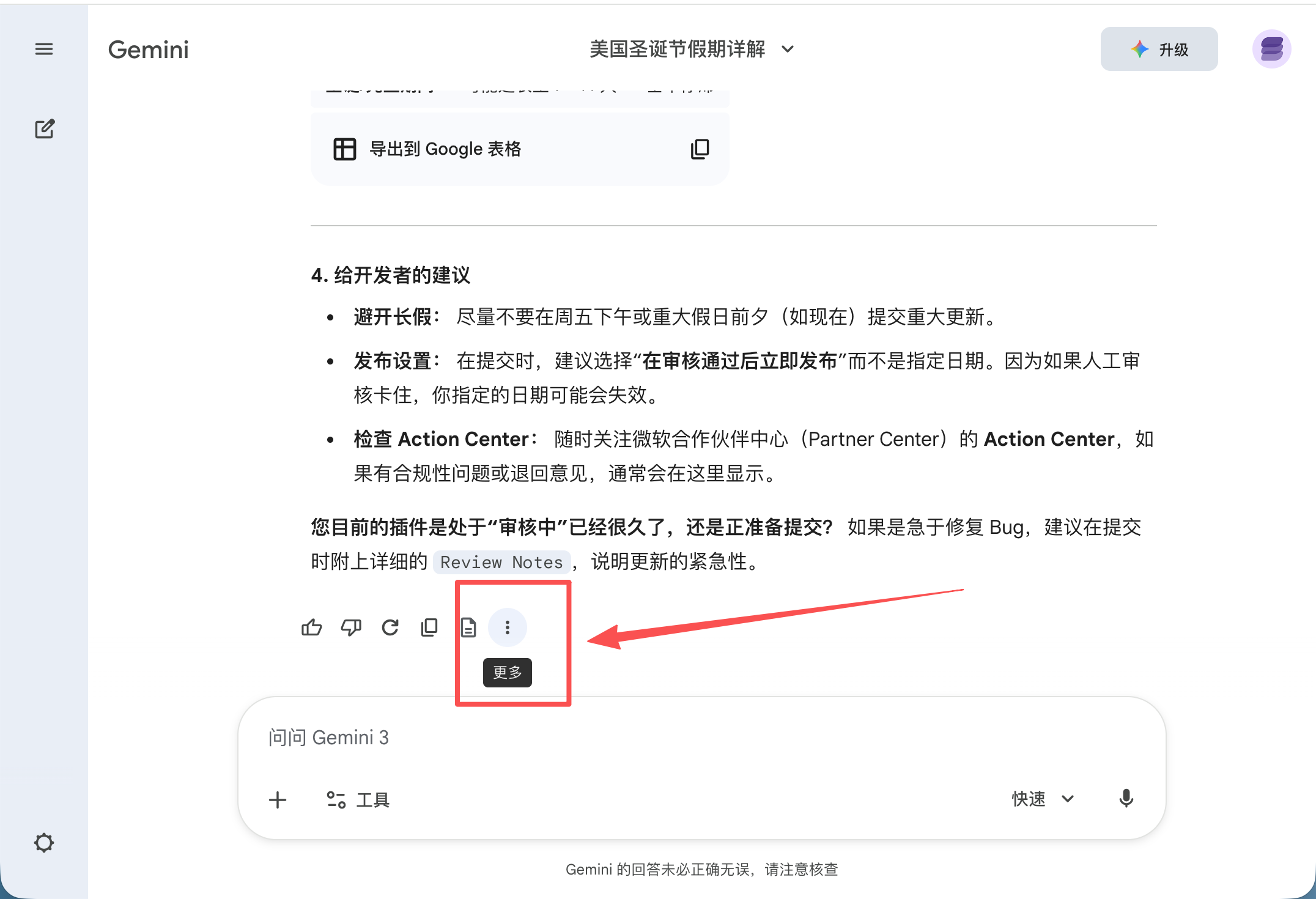
Click More below the AI response.
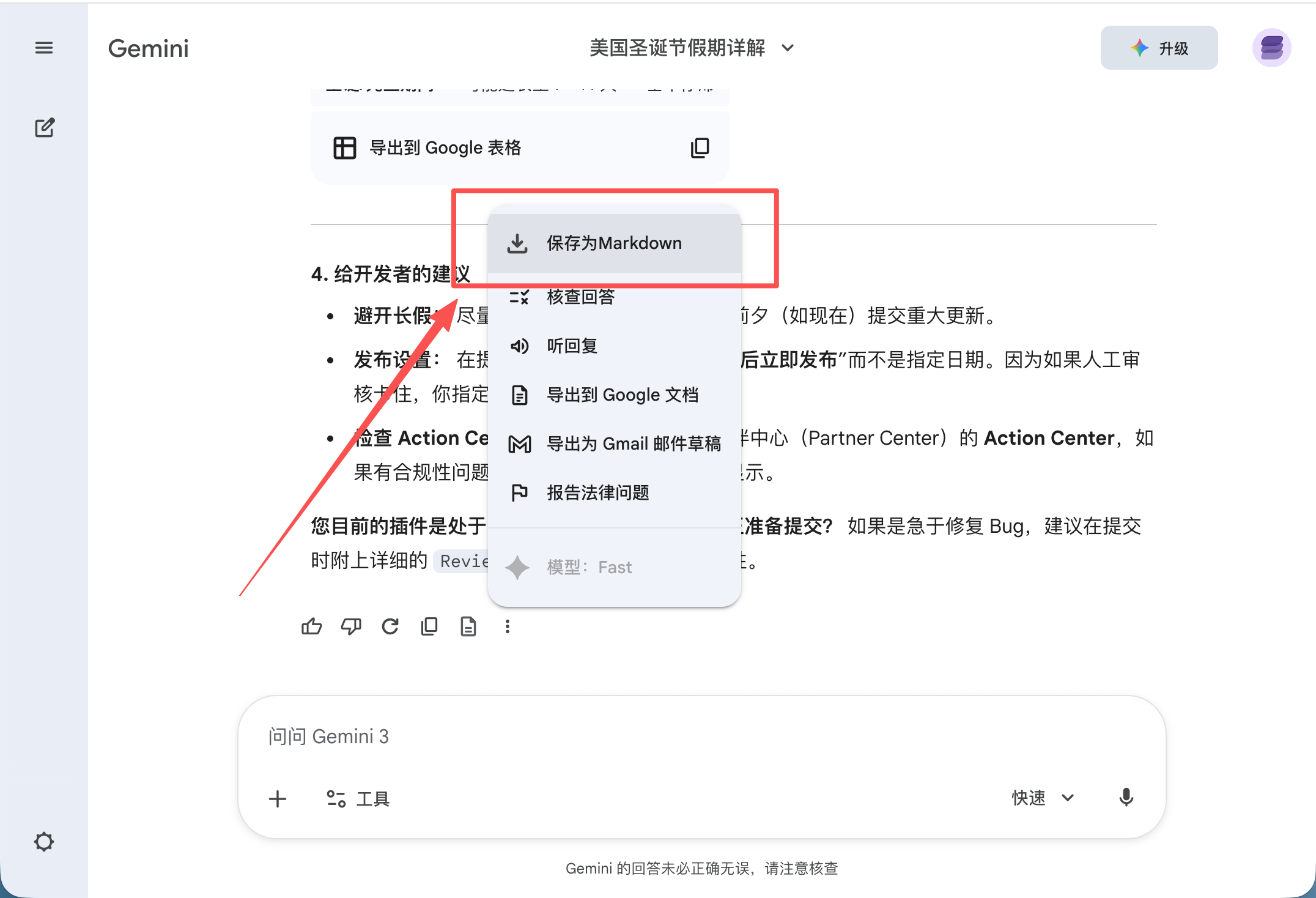
Click Save as Markdown.
Export the full conversation
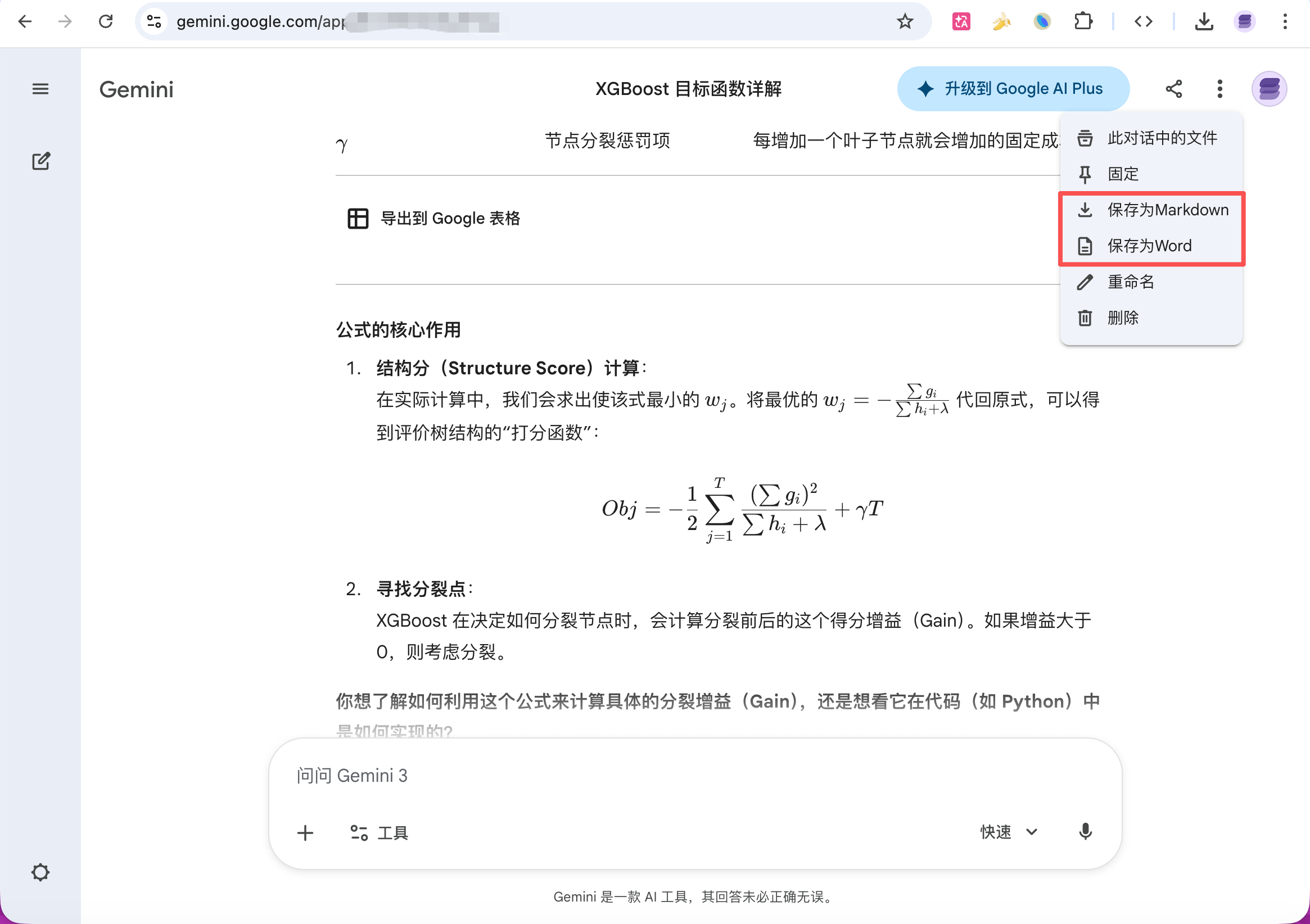
Click “More” in the top right of the conversation, then select Save as Markdown from the dropdown.
DeepShare also supports:
Last updated on