Doubao Export to Word
Please ensure the DeepShare extension is installed in your browser. If not, see the Installation Guide.
This feature requires purchasing an API Key. View pricing.
This method also works for DeepSeek, Yuanbao, KIMI, Qwen, Claude, and other AI platforms.
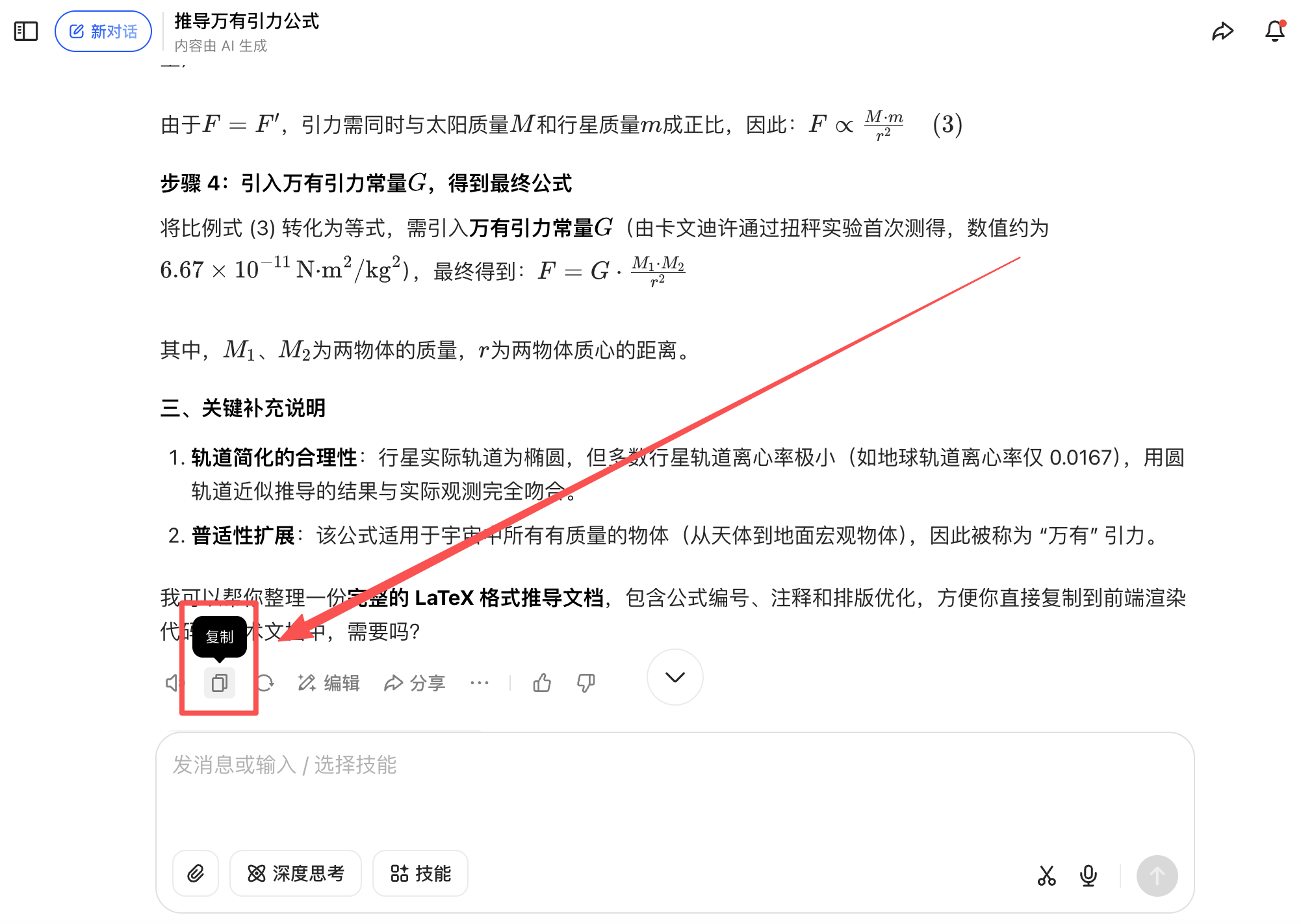
Click the copy button on the conversation
Paste into the extension or convert online
Method 1: Convert using the extension
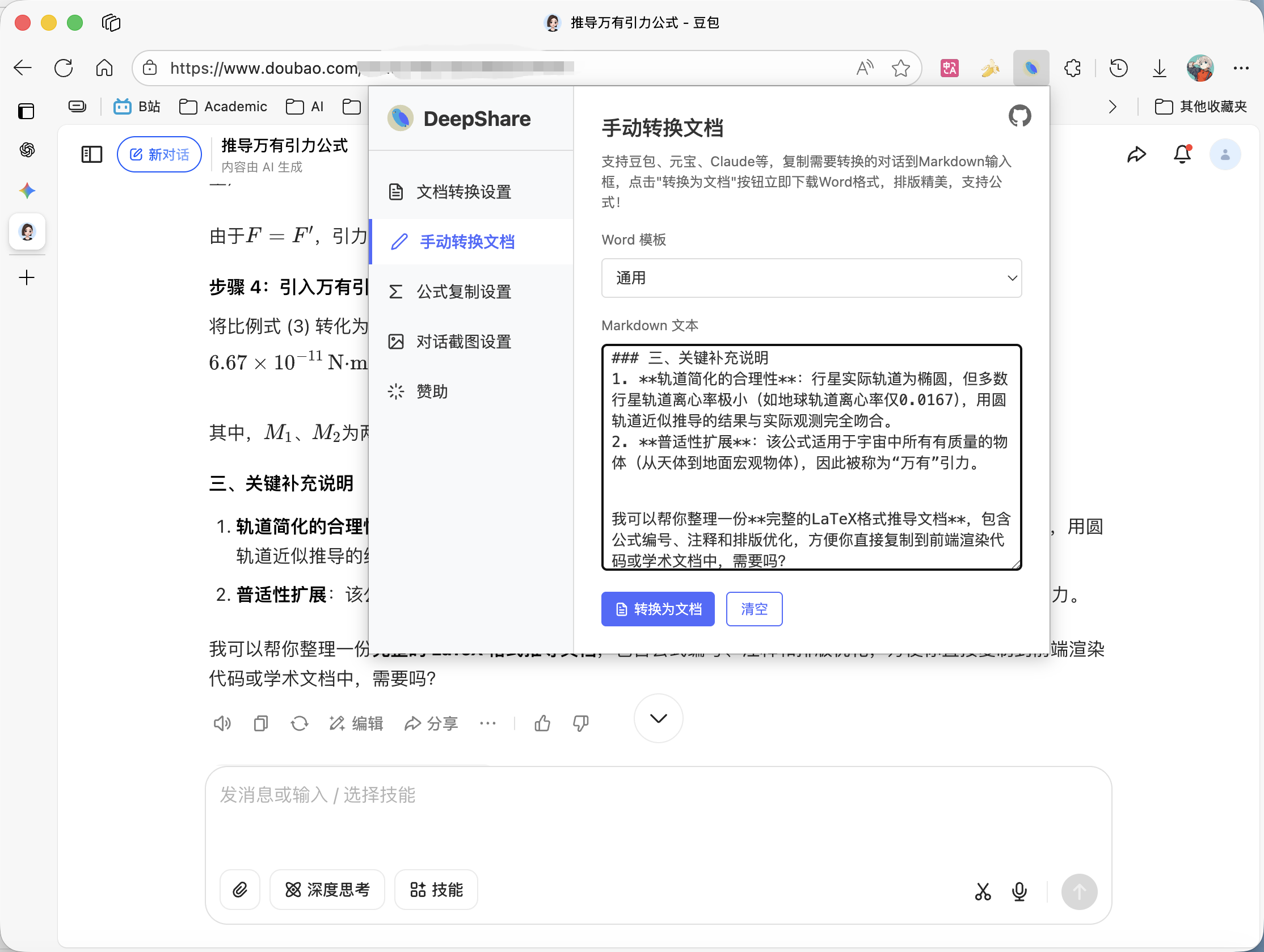
Open the extension, go to the “Manual Document Conversion” tab, paste the copied content, and click “Convert to Document”.
If you can’t find the extension, first pin DeepShare to the toolbar.
Method 2: Convert online
Open the online converter , paste the copied content, and click “Convert to Document”.

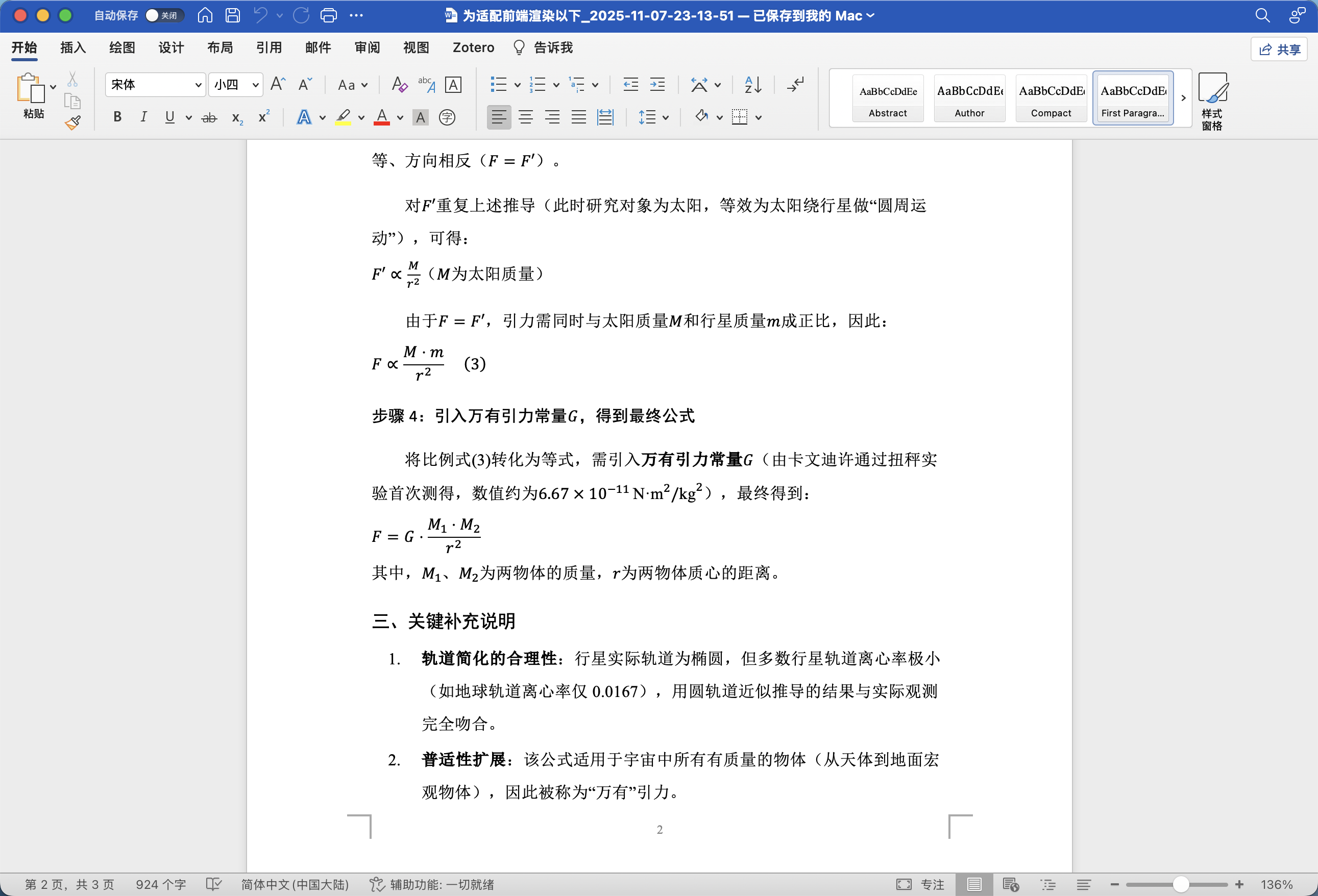
View the converted document
The document will be automatically downloaded. Open it with Word or WPS.
Last updated on