DeepSeek Export to Word
Please ensure the DeepShare extension is installed in your browser. If not, see the Installation Guide.
This feature requires purchasing Word document conversion quota. View pricing.
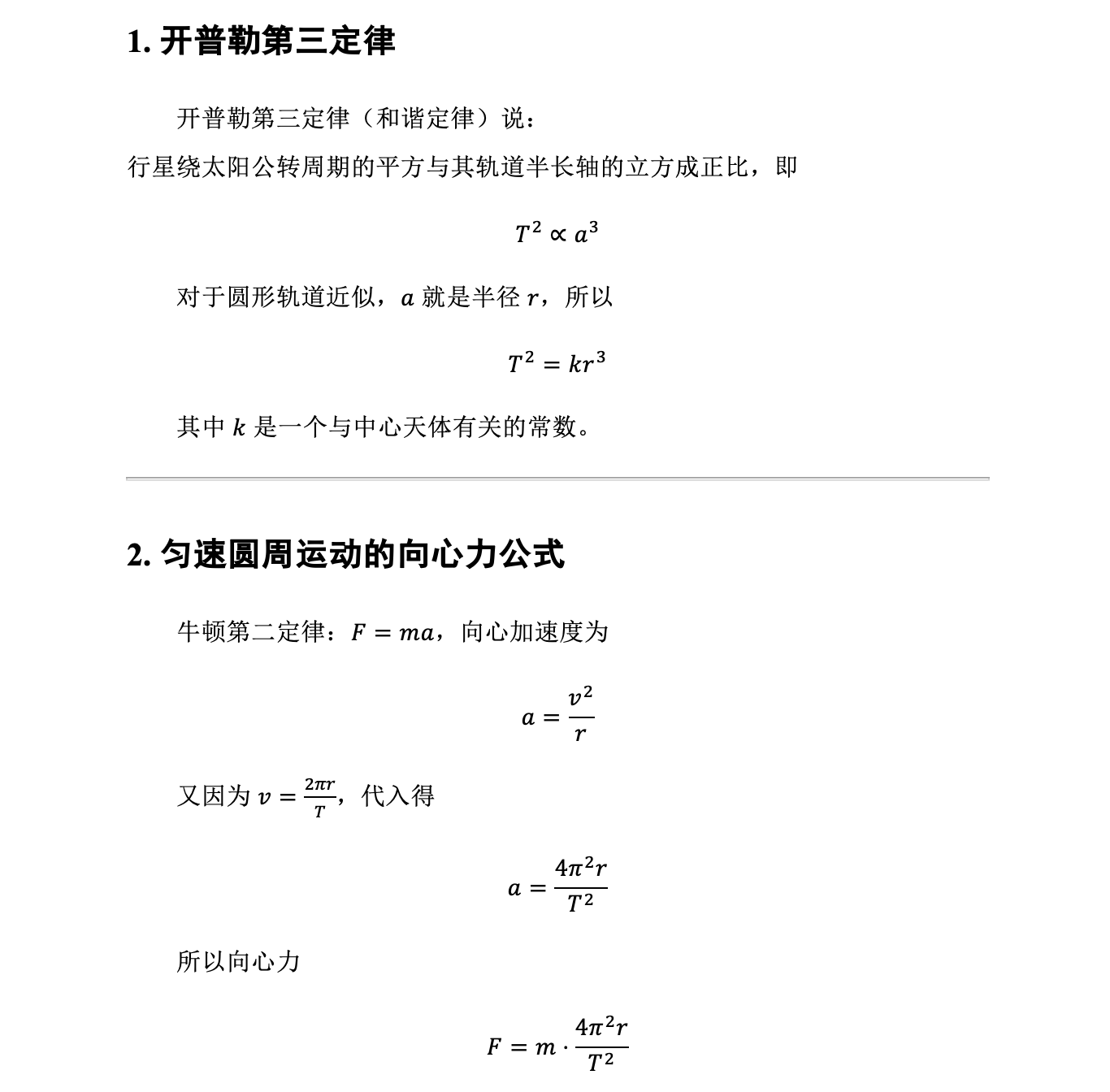
There are two ways to export to Word.
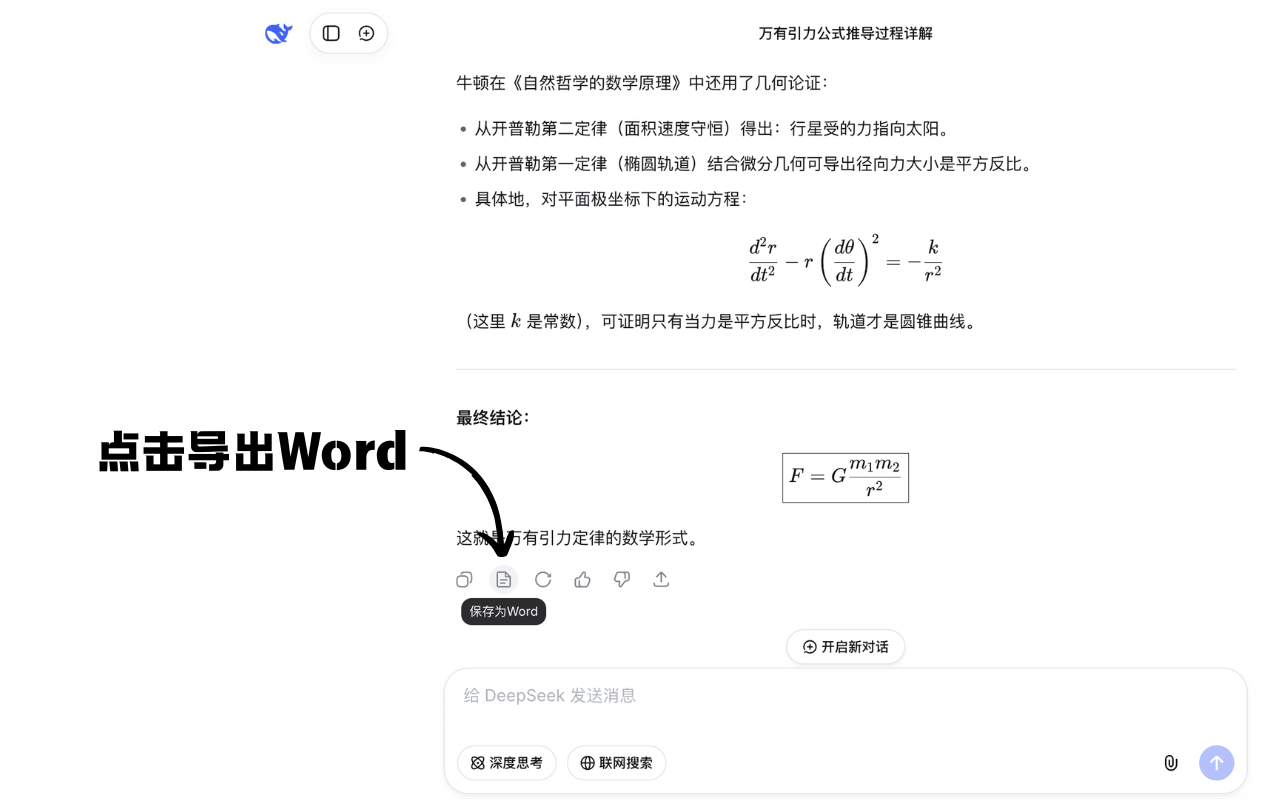
Method 1: Export a single response
Click the “Save as Word” button directly.
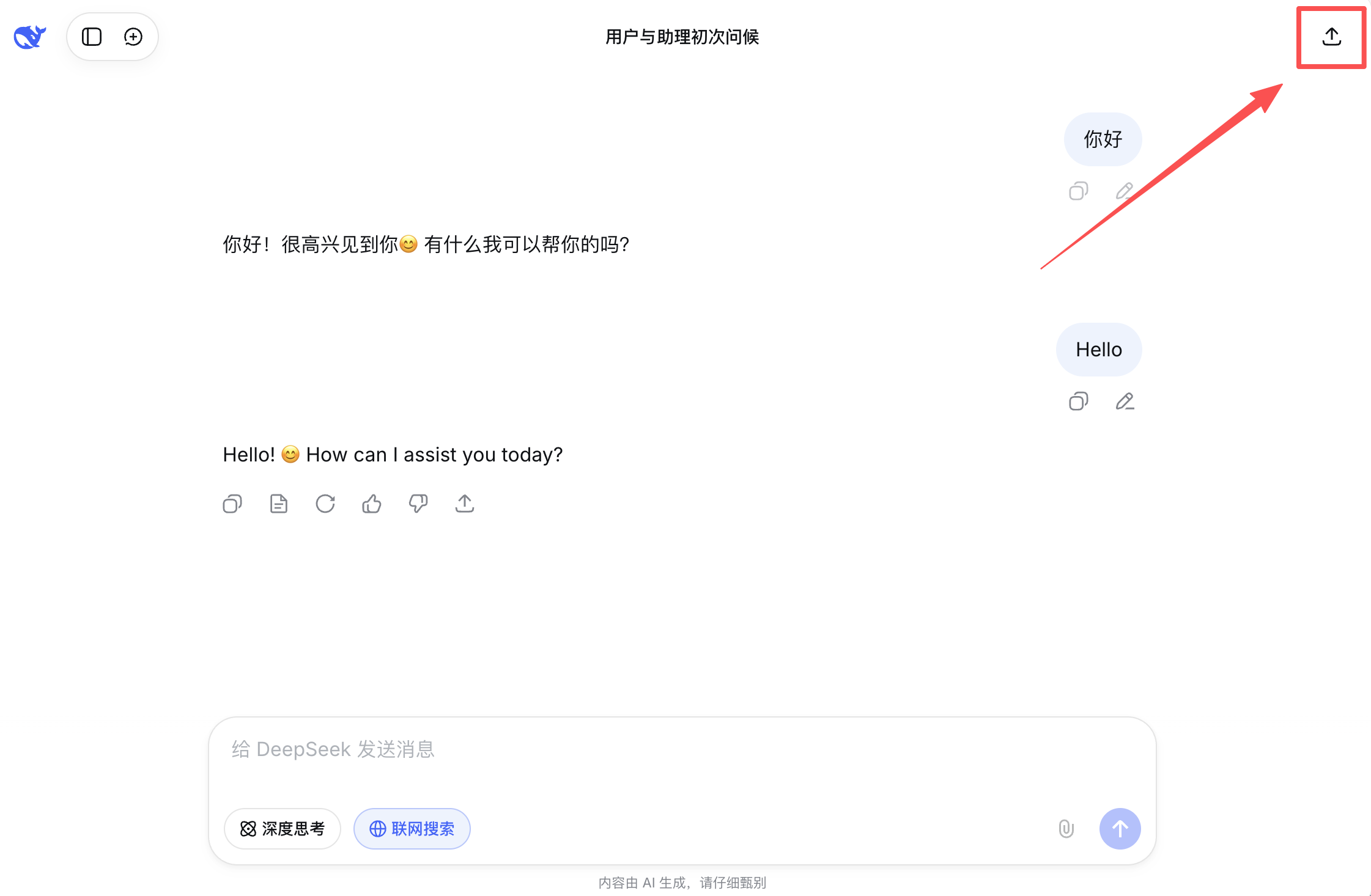
Method 2: Export multiple responses
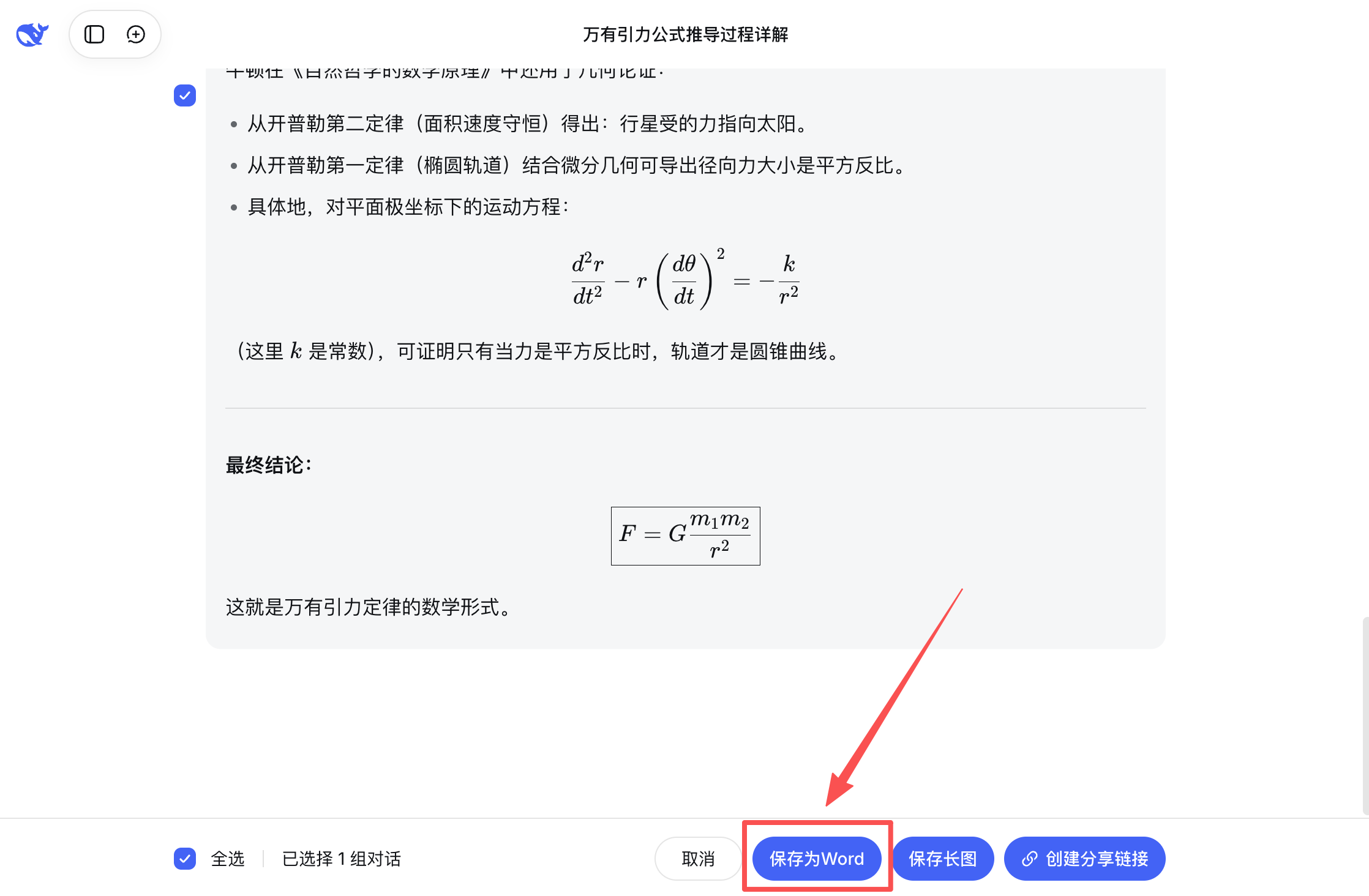
This method allows you to export multiple conversation turns at once.
Last updated on