Copy Formulas from AI Chats
Copy Formula to Word
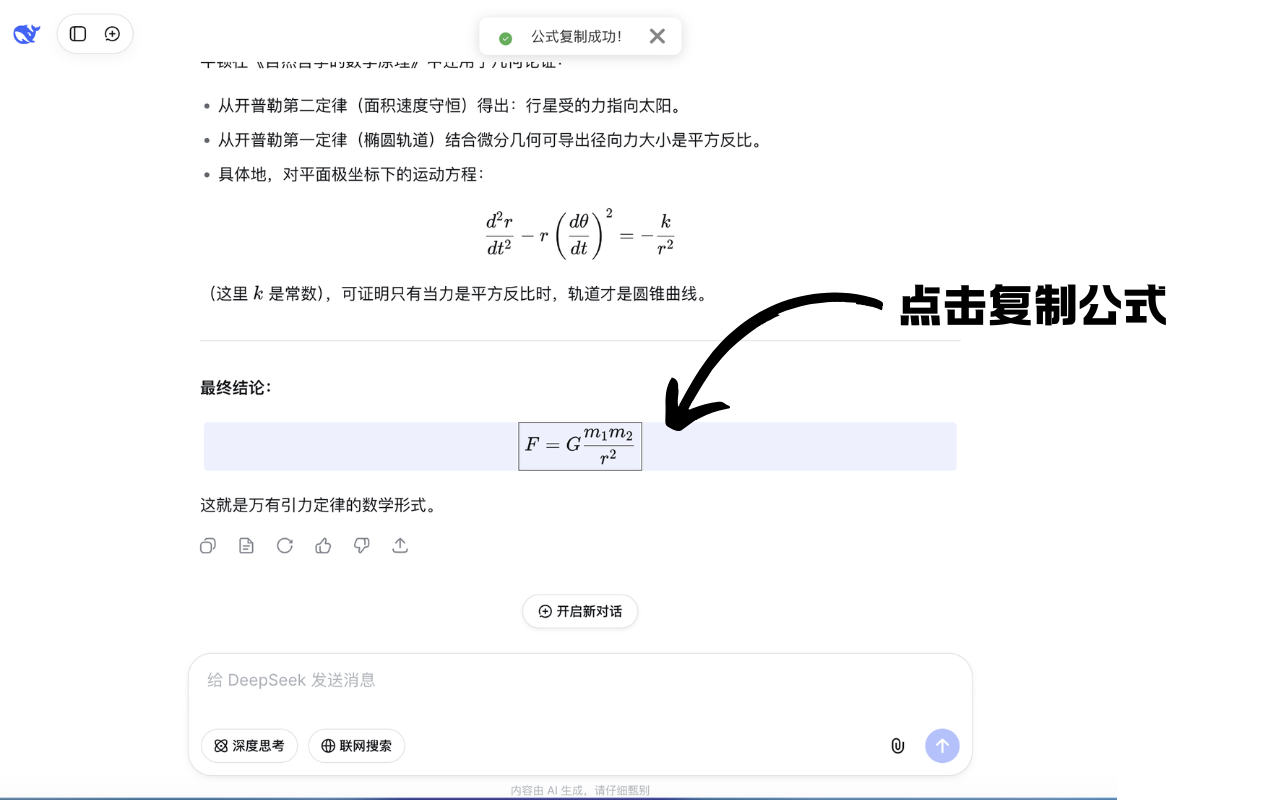
Using DeepSeek as an example — just click a formula to copy it, then paste it into Word.
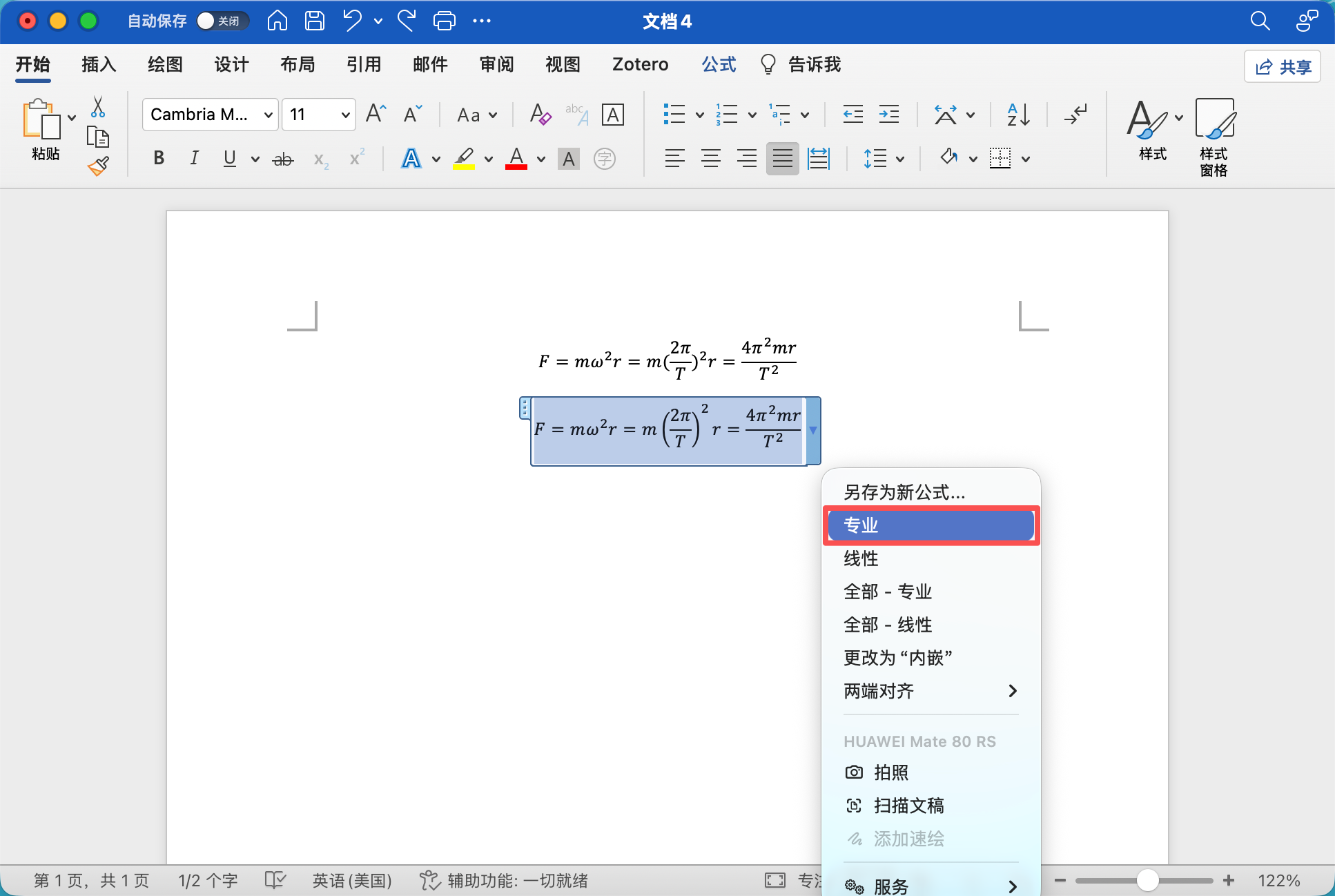
After pasting, select the formula and choose “Professional” to make the formula format more consistent and attractive!
Copy Formula to WPS
Copying formulas to WPS is slightly more complex, but using keyboard shortcuts makes it easy once you’re familiar.
Change the formula format
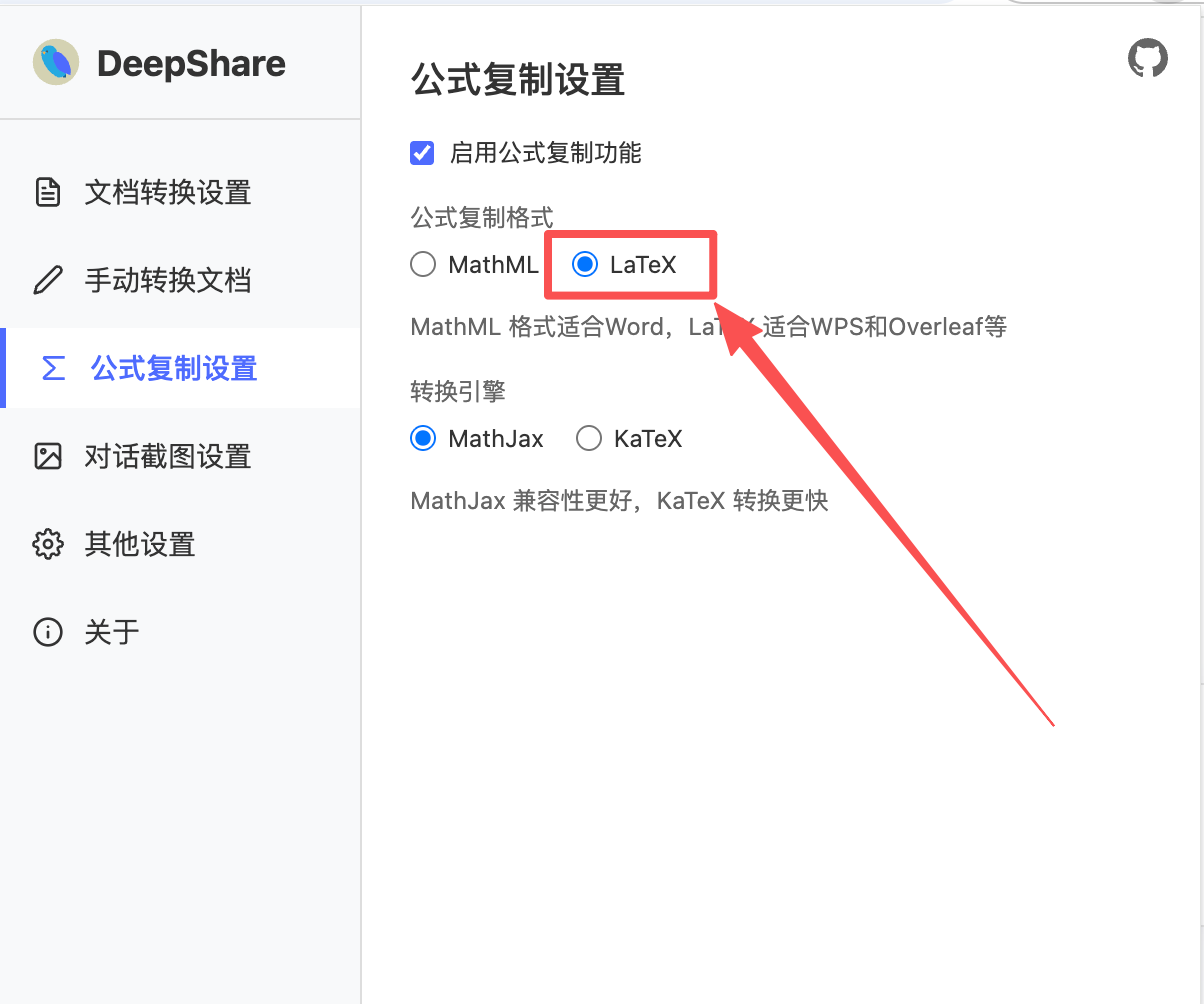
WPS requires LaTeX format. Click the DeepShare extension icon in the browser toolbar, click “Formula Copy Settings”, and select LaTeX as the copy format.
Copy the formula
Click the formula to copy it, then paste it into WPS.
Insert a formula box
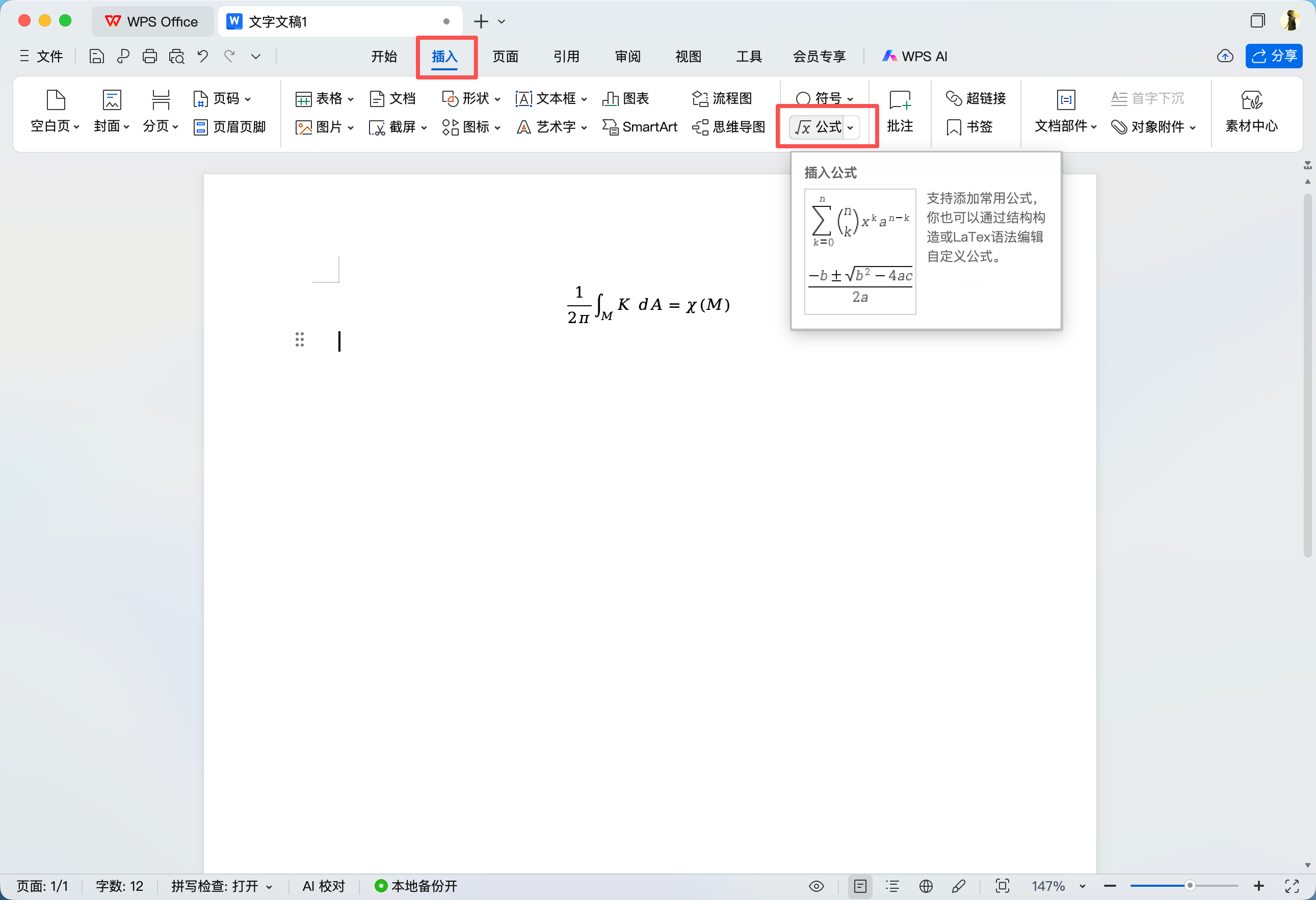
Click the top menu bar “Insert” → “Formula” → “Insert Formula” or “Insert LaTeX”
Windows shortcut: Alt + = to insert a formula box;
Mac shortcut: Command + Shift + F to insert a formula box.
Paste the LaTeX code
After pasting the LaTeX code, press Enter at the end of the formula box to automatically convert it to a standard formula.
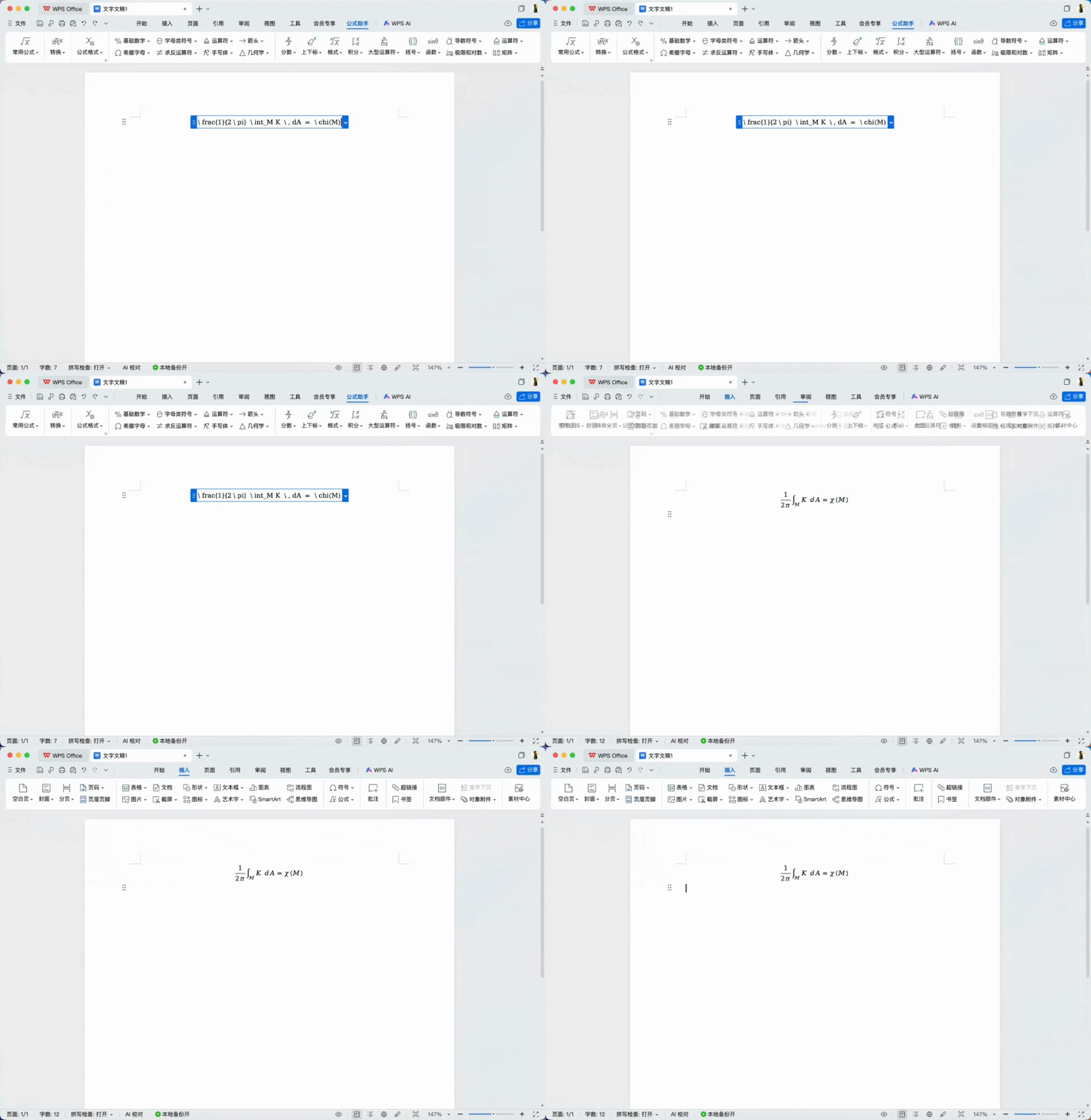
Reference the official WPS tutorial: WPS now supports LaTeX formula conversion!
Copy Formula to MathType
Copy formulas to Word or WPS that has the MathType formula editor installed.
Change the formula format
MathType supports LaTeX format. Click the DeepShare extension icon in the browser toolbar, click “Formula Copy Settings”, and select LaTeX as the copy format.
Copy and paste to MathType
Click the formula to copy it, then open the MathType formula editor in Word or WPS and paste the formula.
Copy Formula to Feishu, Notion, Obsidian
These note-taking apps support Markdown formula syntax ($$formula$$). DeepShare provides dedicated Markdown format support.
Change the formula format
Click the DeepShare extension icon in the browser toolbar, click “Formula Copy Settings”, and select Markdown as the copy format.

Copy the formula
Click the formula to copy it. The formula will be copied to the clipboard in $$..$$ format.
Paste into the note-taking app
Paste directly in Feishu/Lark, Notion, or Obsidian — the formula will render automatically.
FAQ
Is the formula copying feature free?
The formula copying feature is permanently free. Formulas are extracted from the webpage and processed locally — they are not uploaded to any server. The formula copying related code is open source .
After clicking a formula, the copied content doesn’t match the selected format?
Another browser extension with formula copying functionality (e.g., Gemini Voyager) may be installed and causing a conflict. Try disabling the other extension, then refresh the page and try again.
There’s a space after pasting the formula?
For some formulas, a space may appear after pasting. Select the formula box and press Space to resolve this.
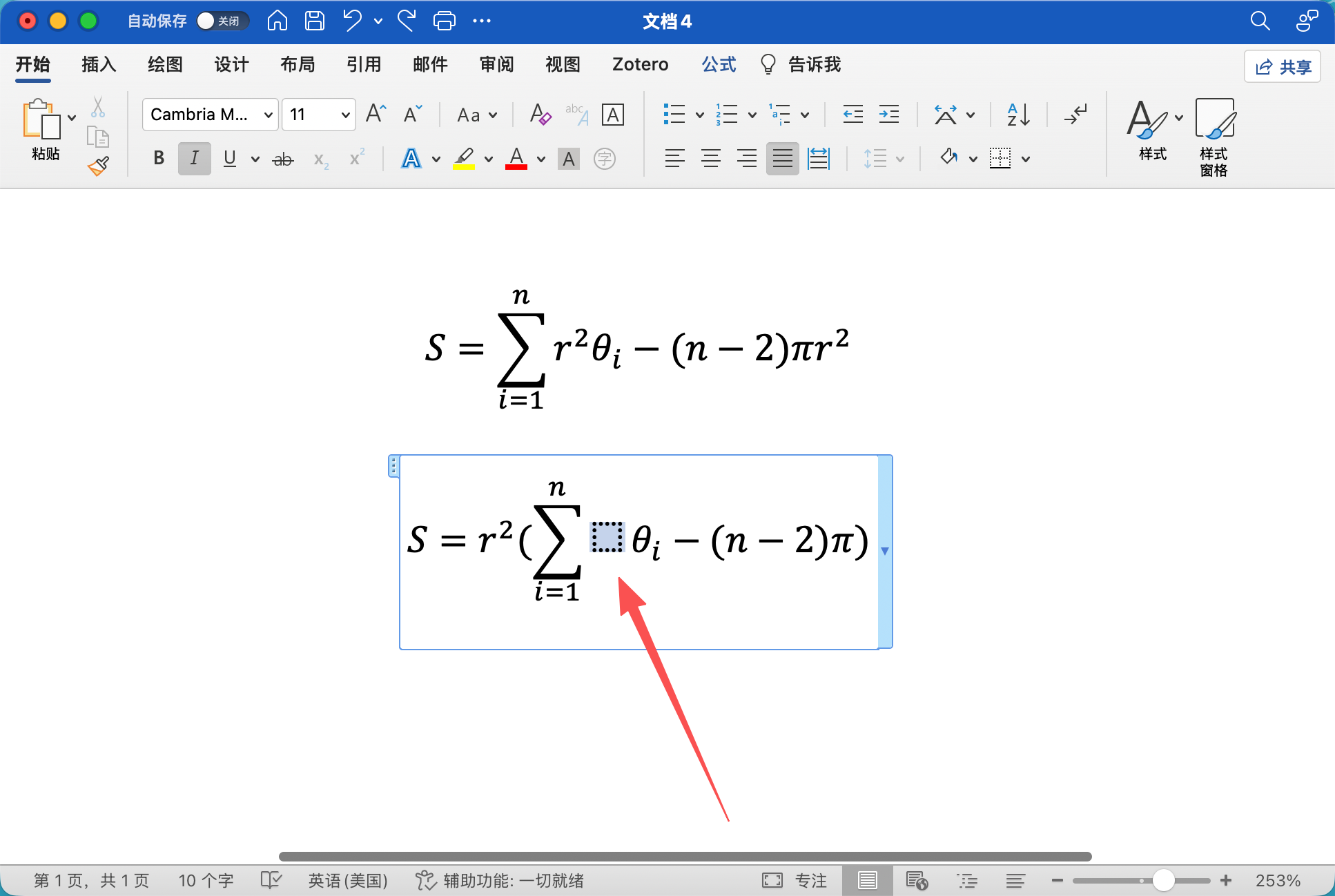
The formula format after pasting doesn’t match the webpage?
After pasting, select the formula and choose “Professional” to make the formula format more consistent and attractive!
How do I change the formula font?
Reference: How to change the formula format to Times New Roman font in Word?
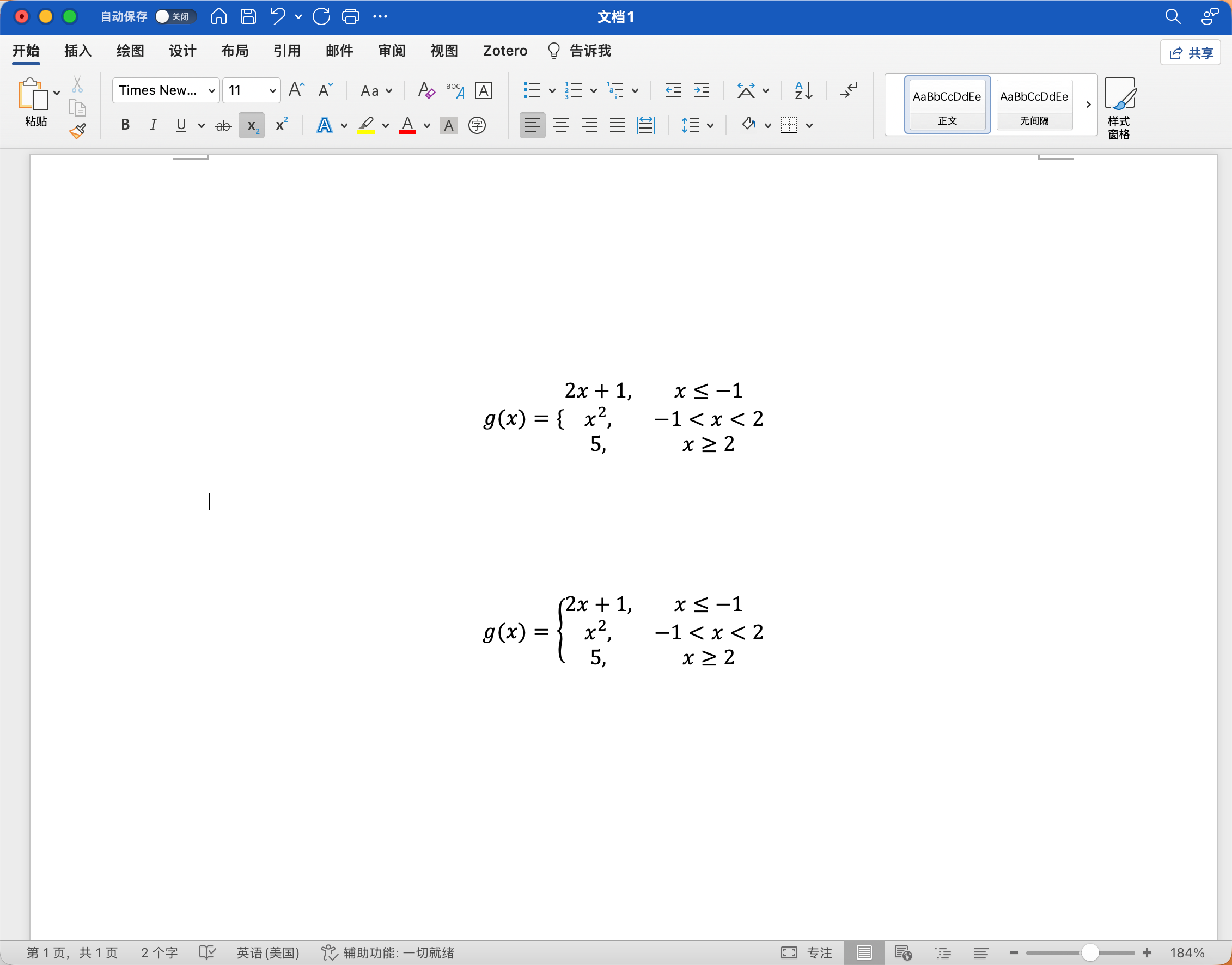
The brace in a piecewise function becomes short after pasting to Word?
This issue usually occurs in Word on Mac. You need to manually replace the formula.
Paste and delete
First paste the formula twice, and delete the part after the equals sign in one of the formulas.
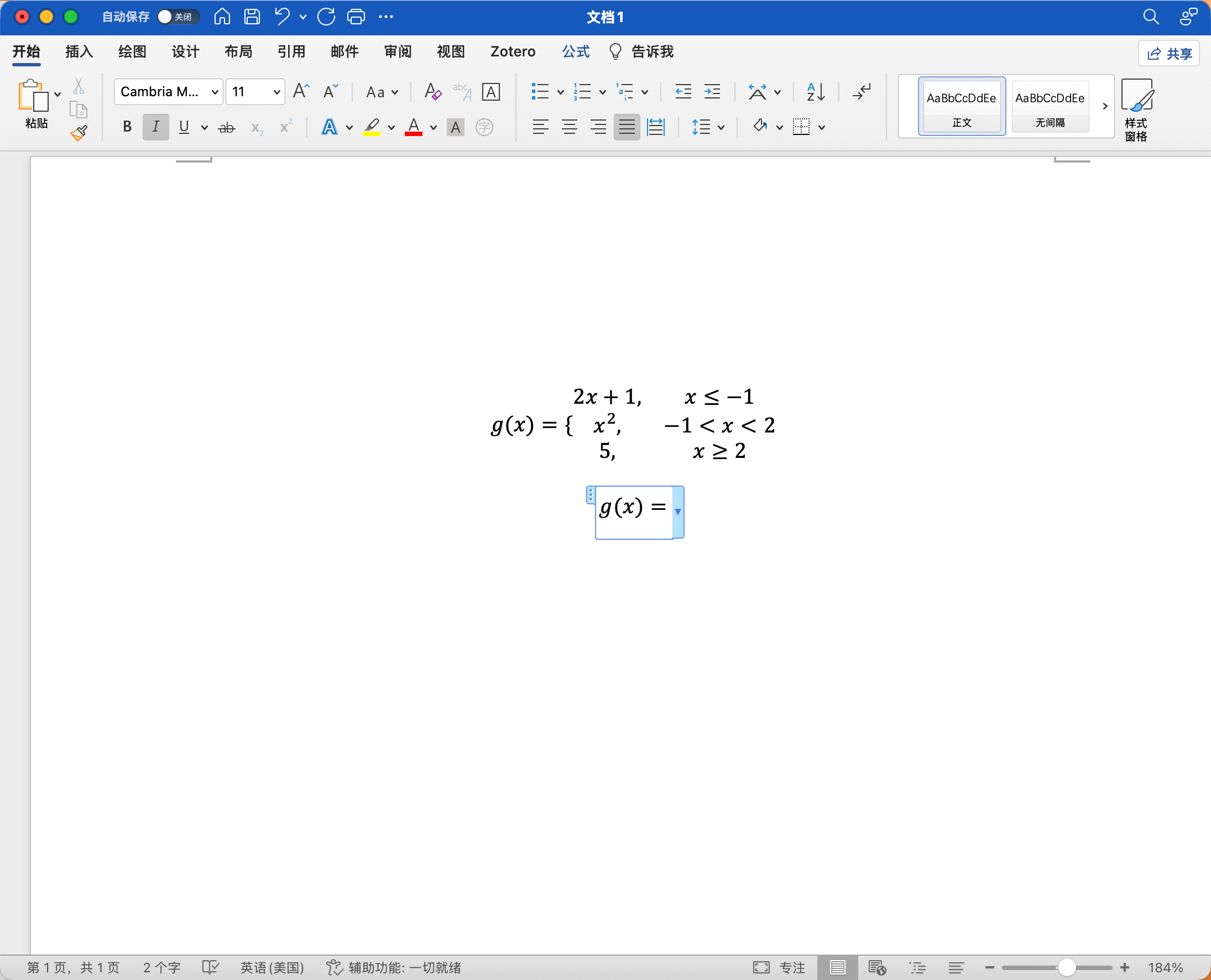
Insert a new brace
Place the cursor after the equals sign in the formula, then click Formula → Brackets → Curly Brace in the top toolbar. The correct brace is now inserted.
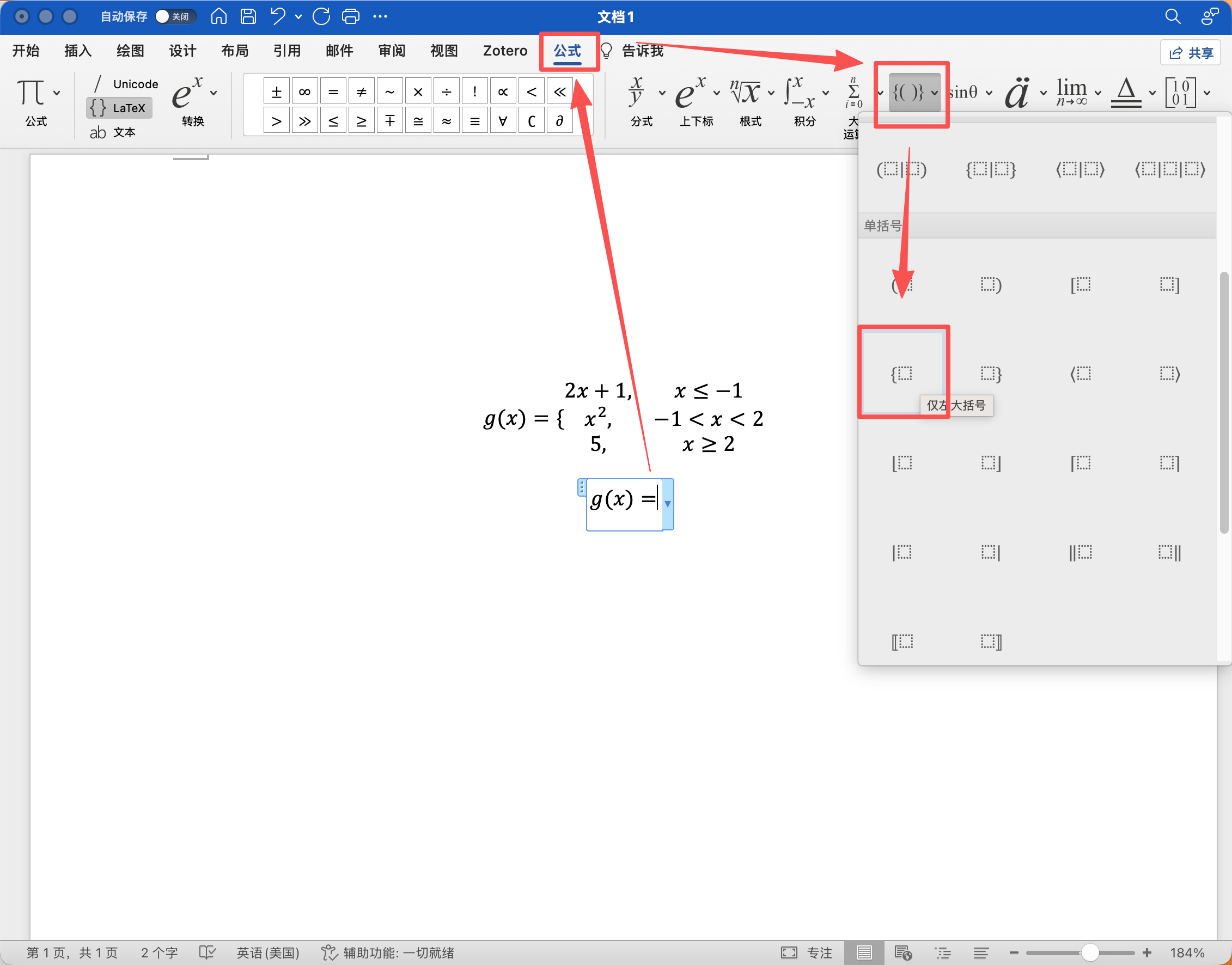
Move the sub-branch
Copy and paste the original sub-branches of the formula after the new brace.
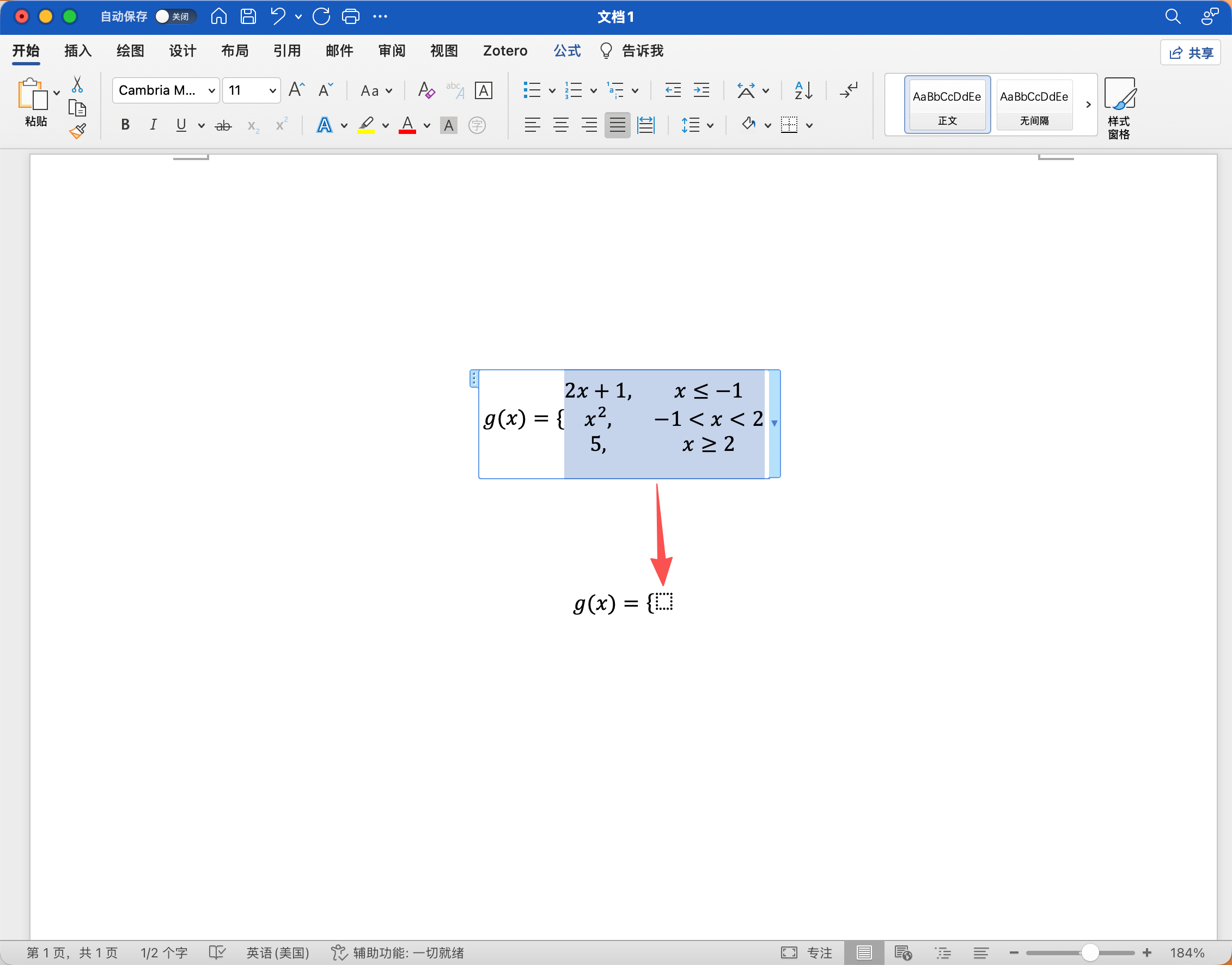
Done
You can delete the previous formula.